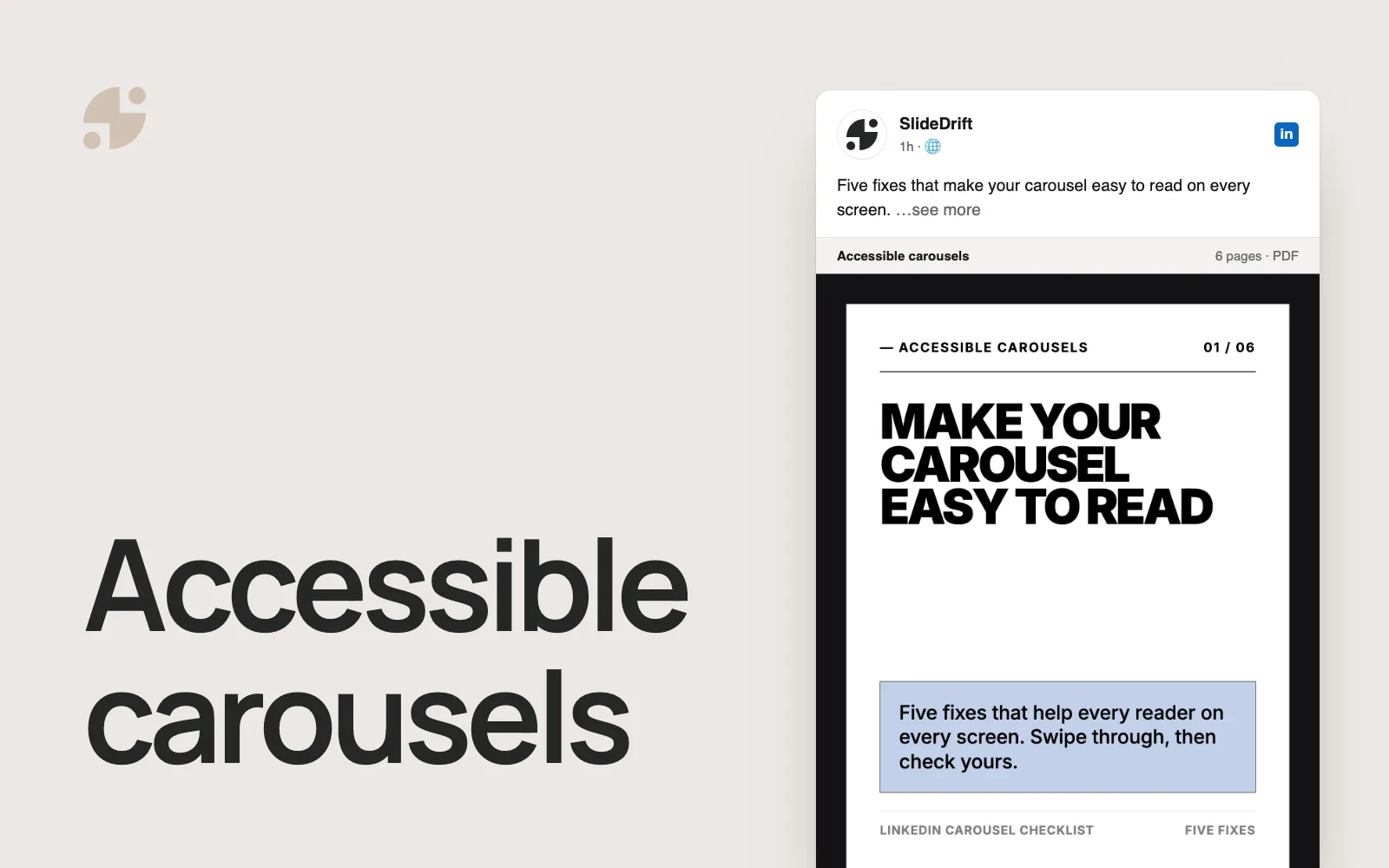
Why Your LinkedIn Carousel Is Not Getting Engagement
Diagnose low LinkedIn carousel engagement with practical fixes for hooks, slide flow, density, design, captions, CTAs, and posting strategy.
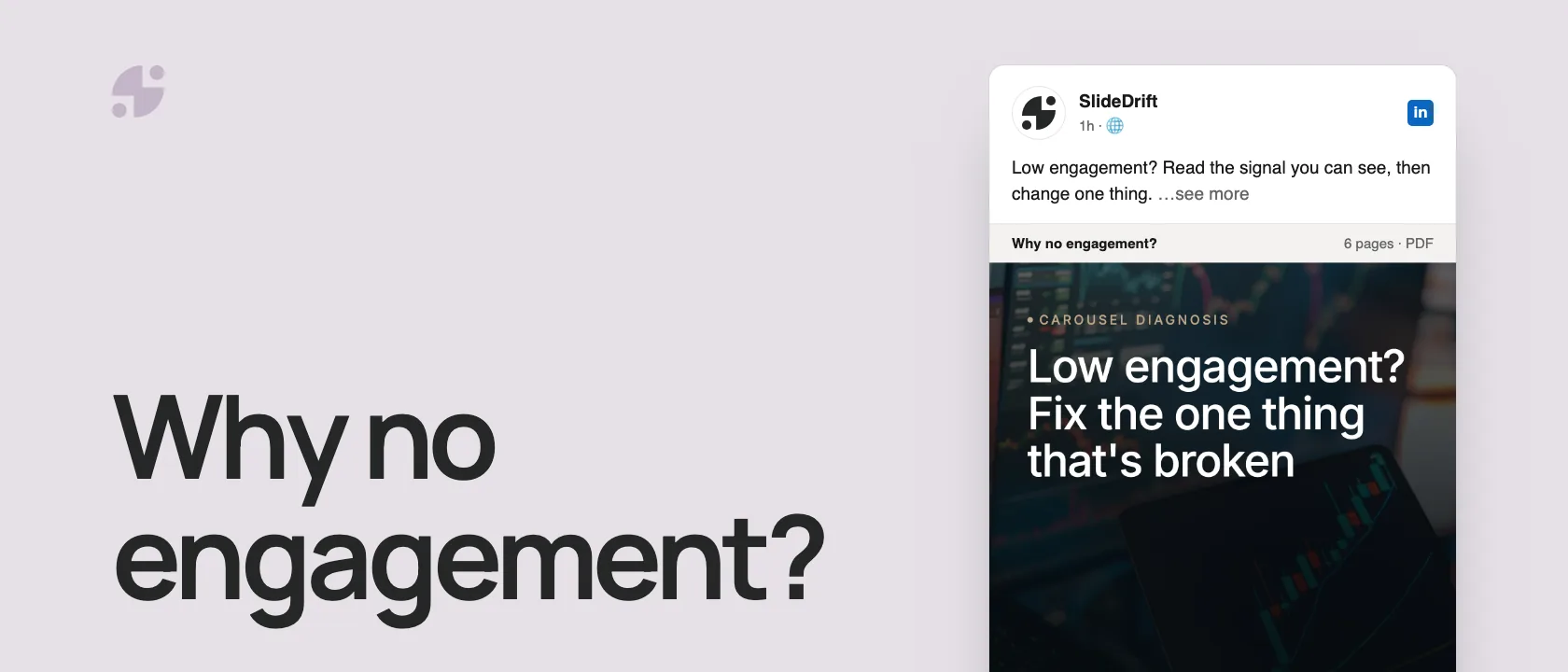
If your LinkedIn carousel isn't getting engagement, don't rewrite everything at once. Find the signal you can actually see, then fix the one cause most likely behind it:
- Few people swipe: the first slide doesn't make a specific promise.
- People stop partway: the slides are too dense, or one carousel tries to do too much.
- Likes but no comments or saves: nothing to disagree with, and nothing to keep.
- No replies: the ending asks too much, or asks nothing specific.
Format alone won't save a weak carousel. Socialinsider's 2026 LinkedIn benchmark of 1.3 million posts from 16,645 business Pages found documents had the highest average engagement rate of any format in 2025, with multi-image posts edging ahead in Q2 2026. That's context for the format, not a promise for a single post: a vague or crowded carousel can still fall flat.
The quick diagnosis
| Symptom | Likely cause | Fix |
|---|---|---|
| Low swipes | First slide is vague | Make the reader problem specific |
| People open but do not finish | Slides are too dense | Cut copy and use one idea per slide |
| Likes but no comments | Topic is agreeable but not useful | Add a decision, example, or tradeoff |
| Views but no profile visits | No clear authority angle | Connect the lesson to your expertise |
| No saves | No reusable value | Add checklist, template, steps, or framework |
| No replies | CTA is too broad | Ask a specific question or offer a next step |
The causes in this table are hypotheses, not conclusions. LinkedIn does not expose a slide-by-slide swipe or completion report for ordinary document posts, so low reactions alone cannot tell you which slide failed.
Here's the diagnosis as a carousel, made in SlideDrift.
SlideDriftCreate your ownCarousel transcriptShowHide


- 01Carousel diagnosis. Low engagement? Fix the one thing that's broken. Read the signal you can see, then change one thing on the next carousel.
- 02Signal 01, few people swipe. The first slide doesn't make a specific promise. “Marketing tips” could open any post. “5 signs your onboarding problem is a sales problem” can only open one. Name the reader and the outcome on slide one. Test: could this first slide introduce any other carousel?
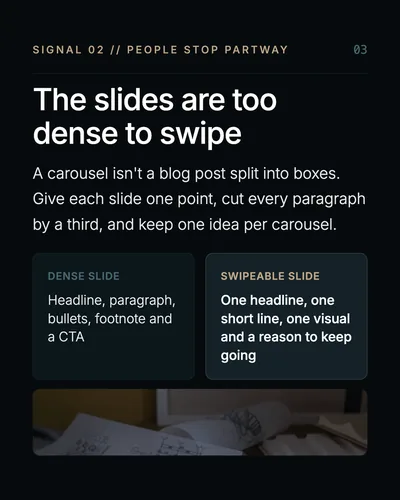
- 03Signal 02, people stop partway. The slides are too dense to swipe. A carousel isn't a blog post split into boxes. Give each slide one point, cut every paragraph by a third, and keep one idea per carousel. A dense slide has a headline, paragraph, bullets, footnote and a CTA. A swipeable slide has one headline, one short line, one visual and a reason to keep going.
- 04Signals 03 and 04, reactions but no response. Likes, no comments: nothing to disagree with or add to. Agreeable posts get nods, not replies. Add a decision, a tradeoff or a real example people can push back on. Views, but no saves: nothing worth keeping for later. People save what they'll use again. Turn the advice into a checklist, a template or numbered steps.
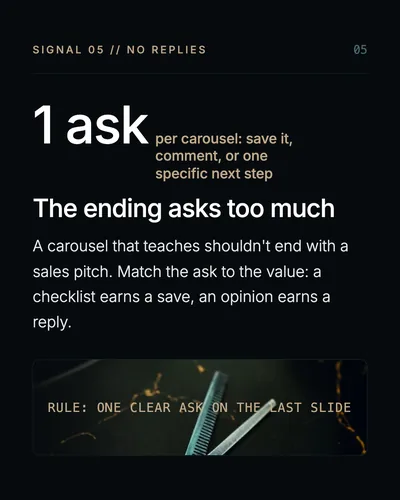
- 05Signal 05, no replies. The ending asks too much. One ask per carousel: save it, comment, or one specific next step. A carousel that teaches shouldn't end with a sales pitch. Match the ask to the value: a checklist earns a save, an opinion earns a reply. Rule: one clear ask on the last slide.
- 06The repair rule. Change one thing, then read the result. Note the signal you saw and its likely cause. Fix that one cause on the next carousel, nothing else. Compare at the same checkpoint before you change more. Save this for your next carousel.
Use a one-change carousel repair record
Changing five things at once may improve the next post, but it will not teach you which repair mattered. Use this record to keep the test reviewable.
Carousel repair record
| Field | What to record |
|---|---|
| Observed signal | One result visible in the correct LinkedIn analytics surface, plus the account type and comparison baseline. |
| Repair hypothesis | One likely cause that you can change, such as a vague first-slide promise or an overly broad topic. |
| Single edit | The exact change you will make while keeping the rest of the next test as stable as practical. |
| Primary signal | The one available metric or qualitative response you will review first. |
| Review window | A fixed checkpoint that gives both posts a comparable amount of time. |
| Next decision | Keep the repair, revise it, or test a different cause. Do not fill this in before the checkpoint. |
Completed example without invented results
Suppose the old cover says “5 marketing tips.” The repair hypothesis is that the promise is too broad. The single edit is to replace it with “5 signs your onboarding problem is actually a sales problem” while keeping the audience, document length, and publishing account consistent.
Choose the primary signal before publishing. For a member post, that might be members reached, saves, or profile viewers from the post. For a Page post, it might be impressions, clicks, or engagement rate. Set the review window, then leave the result and next decision blank until the data exists. This example defines the test; it does not claim an outcome.
1. Your first slide does not make a promise
The first slide has one job: give the reader a reason to swipe.
Weak first slides often say things like:
- “5 marketing tips”
- “Lessons from my journey”
- “How to improve your business”
- “LinkedIn strategy”
These are technically topics, but they are not promises.
Better first slides make a sharper commitment:
- “5 signs your onboarding problem is actually a sales problem”
- “The consulting mistake that makes clients ignore your recommendations”
- “A 7-slide case study structure agencies can reuse”
- “Why your carousel looks polished but gets no saves”
A good test: could the first slide only belong to this carousel? If it could introduce dozens of posts, it is too generic.
For more cover-slide patterns, use the LinkedIn carousel first-slide examples.
2. Your carousel tries to do too much
A common mistake is turning one carousel into a mini ebook. The reader opens a document post expecting a structured idea, not a complete dissertation.
Keep one job per carousel:
- Teach one framework.
- Diagnose one mistake.
- Explain one process.
- Tell one useful story.
- Compare two choices.
If your draft includes five separate ideas, create five carousels. SlideDrift is useful here because you can start from notes, articles, or rough ideas and generate separate decks around focused prompts.
3. Your slides are too text-heavy
A carousel is not a blog post pasted into boxes. If every slide has a headline, paragraph, bullets, footnote, and CTA, the reader has to work too hard.
Use this slide-density rule:
- Headline: one clear point.
- Body: one short explanation or 2–4 short bullets.
- Visual: one supporting shape, screenshot, diagram, or example.
- Progression: one reason to continue.
When editing in SlideDrift, select crowded text and rewrite it into shorter lines. Delete slides that repeat the same point. Reorder slides so the easiest idea comes before the nuanced idea.
4. The carousel has no narrative progression
A good carousel should feel like moving through an argument. Each slide should answer: “Why am I seeing this next?”
Use this simple flow:
- Problem
- Why it happens
- What most people do wrong
- Better principle
- Example
- Checklist or framework
- CTA
If slide 5 could appear before slide 2 and nothing changes, the sequence needs work.
5. Your caption repeats the carousel
The caption should set context, not duplicate every slide.
Weak caption:
Here are 7 ways to improve your LinkedIn carousel. Swipe to learn more.
Better caption:
Most carousels do not fail because the format is weak. They fail because the first slide makes no promise. I use this checklist before publishing any carousel.
Your caption can include:
- the reason you made the carousel;
- a short personal observation;
- the reader problem;
- a direct invitation to swipe;
- one specific question at the end.
6. Your CTA asks too much
A carousel that teaches for 90 seconds should not immediately ask for a sales call unless the post is explicitly commercial. Use a CTA that matches the value delivered.
| Carousel type | Good CTA |
|---|---|
| Checklist | “Save this for your next draft.” |
| Framework | “Comment ‘framework’ if you want the template.” |
| Opinion | “What would you add?” |
| Case study | “Message me if you want the breakdown.” |
| Product tutorial | “Try this workflow in SlideDrift.” |
The final slide should not feel bolted on. It should be the natural next step.
7. The topic is not specific enough
Generic topics get generic engagement. Instead of “productivity tips,” write for a specific reader in a specific situation.
Examples:
-
Not: “How to be more productive”
-
Better: “How solo consultants can protect one deep-work day per week”
-
Not: “Marketing mistakes”
-
Better: “3 reasons agencies lose trust during reporting calls”
-
Not: “Leadership advice”
-
Better: “What first-time managers should say in their first 1:1”
Specific topics do not shrink the audience. They help the right reader recognize themselves.
8. The design is polished but not readable
A beautiful carousel can still fail if the type is too small, contrast is weak, or each slide has too many decorative elements.
Check:
- Can the slide be read on mobile?
- Is there enough whitespace?
- Does the headline stand out?
- Are colors consistent?
- Is every visual doing a job?
SlideDrift helps with consistent templates and brand kits, but you should still review the deck before exporting. Open the PDF and scan it like a reader would.
The 10-minute carousel repair checklist
Before you post, fix these:
- Rewrite the first slide as a specific promise.
- Delete any slide that repeats another slide.
- Cut every body paragraph by 30–50%.
- Move the strongest example earlier.
- Add one concrete before/after, checklist, or framework.
- Remove unsupported statistics.
- Make the final CTA specific.
- Check mobile readability.
- Export as PDF and open it before uploading.
- Write a caption that adds context instead of summarizing every slide.
What to measure after publishing
Do not judge only by likes, and do not mix member metrics with Page metrics.
- Member posts: LinkedIn currently lists impressions, members reached, reactions, comments, reposts, saves, sends, profile viewers from the post, followers gained, and eligible link visits. LinkedIn says these figures are estimates and may not be precise. LinkedIn member post analytics
- Page posts: LinkedIn currently lists metrics including impressions, members reached, clicks, reactions, comments, reposts, click-through rate, and engagement rate. LinkedIn Page content analytics
Then connect the platform signal to the job of the post. A useful comment, profile visit, qualified reply, or later sales conversation may matter more than a larger reaction count. Use the carousel measurement guide to keep the account type, checkpoint, and comparison method consistent.
Fix it in SlideDrift
SlideDrift turns a URL, notes, text or a rough idea into an editable carousel draft. To repair a weak carousel, paste its text with a brief like this:
SlideDrift brief
Rewrite the carousel below for LinkedIn.
Make slide one a specific promise for one reader.
Keep one idea per slide, cut every paragraph by a third, and end with one specific question.

[Paste the carousel text or your notes here]Then edit the draft, delete any slide that repeats another, and export the reviewed deck as a PDF. The create-from-text guide shows the workflow. AI speeds up the draft; your judgment makes the post.
Repair your next carousel
Paste the text of a carousel that fell flat, or your notes for the next one. SlideDrift drafts the slides, you sharpen them, then export the PDF.

Brief for this carousel
Make a 6-slide LinkedIn carousel that diagnoses low carousel engagement. A cover, then one signal per slide with its likely cause and fix: few people swipe (slide one makes no specific promise), people stop partway (the slides are too dense), likes but no comments, views but no saves, and no replies (the ending asks too much). End with the repair rule: change one thing, then read the result.
Related reading
Before you publish, use the LinkedIn carousel checklist and confirm dimensions with the LinkedIn carousel size guide.
FAQ
Why did my LinkedIn carousel get low engagement?
The most common reasons are a weak first slide, too many ideas, dense copy, no clear reader benefit, generic design, weak caption, or a CTA that asks too much.
How many slides should a LinkedIn carousel have?
Use the number needed to explain one focused idea. Many strong carousels land between 6 and 12 slides, but clarity matters more than hitting a specific number.
Should I delete a low-performing carousel?
Usually no. Use it as data. Review the hook, topic, timing, caption, and comments, then reuse the strongest idea in a better format later.
Can SlideDrift help fix a weak carousel?
Yes. You can edit generated slides, rewrite selected text, reorder slides, delete filler, and export a cleaner PDF after improving the draft.