

Export overview
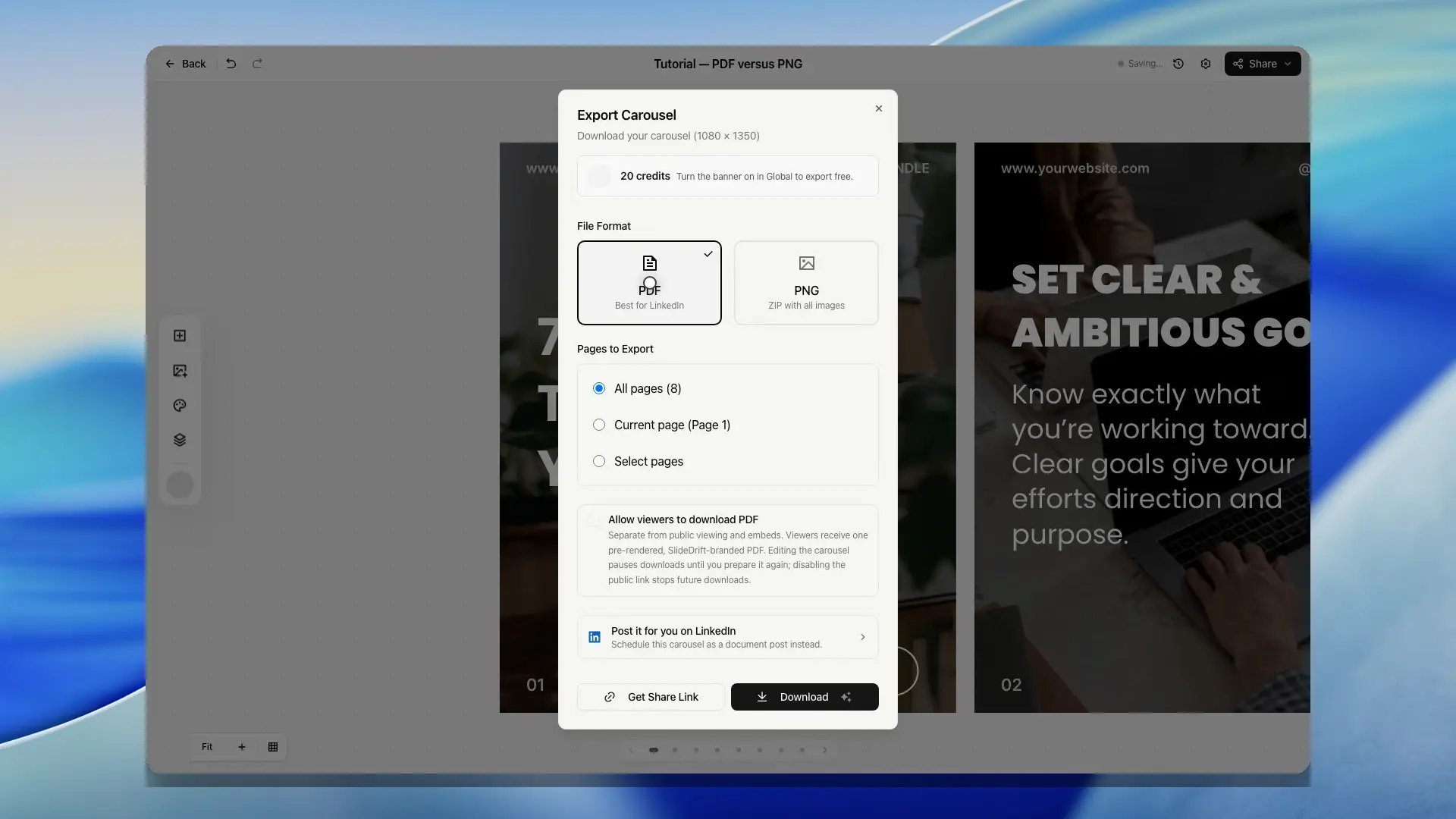
Export your finished carousel as PDF, PNG files, share links, viewer downloads, embeds, or LinkedIn document posts.
Use Export when your carousel is saved, reviewed, and ready to share.
SlideDrift supports downloads, public share links, website embeds, and LinkedIn scheduling from the export dialog.
Export options
- Export as PDF: best for uploading a document carousel to LinkedIn.
- Export as PNG: downloads a ZIP with image files.
- Image links: gives you a public JPEG link for each slide, for an Instagram or TikTok carousel or another app that posts from a link.
- Share links, viewer downloads, and embeds: creates a public viewer link, can attach a branded PDF for viewers, and provides iframe embed code.
- LinkedIn scheduling: connects LinkedIn accounts and queues carousel document posts.
- Watermark and attribution: explains the SlideDrift banner and credit behavior.
Before exporting
Review the deck carefully:
- Read every slide.
- Check images and spacing.
- Confirm the slide order.
- Decide which slides to include. Export starts with every slide ticked.
- Choose PDF, PNG, share link, embed, or LinkedIn scheduling.
Export is not available in local development mode. Use the production app for real exports.
SlideDrift validates export format, mode, slide selection, and output dimensions before rendering. If an export fails before delivery, try again after checking the deck still has valid slides.
Choose the right output
Use PDF when you want to upload a document carousel to LinkedIn or schedule a LinkedIn document post from SlideDrift.
Use PNG when you need individual slide images for another tool, manual upload, or a quick visual review.
Use image links when another tool should fetch the slides by link, for example an Instagram or TikTok carousel.
Use a share link when someone should view the carousel in a browser.
Use a viewer PDF download when people opening the public share page should also be able to save a current, SlideDrift-branded copy of the full deck.
Use an embed when the carousel should appear inside another website page.
Use LinkedIn scheduling when you want the carousel PDF, caption, target account, timezone, and posting status to stay together in SlideDrift.
Delivery and limits
SlideDrift counts delivered export allowance after a file or share link is delivered. If rendering fails before delivery, the failed attempt should not count as a delivered export.
Free exports include the SlideDrift banner. Paid plans can remove the banner when exporting, subject to the current plan and credit rules.