

Projects
Find, reopen, and manage your saved carousels.
Saved carousels are available from your carousel library.
Open your carousels
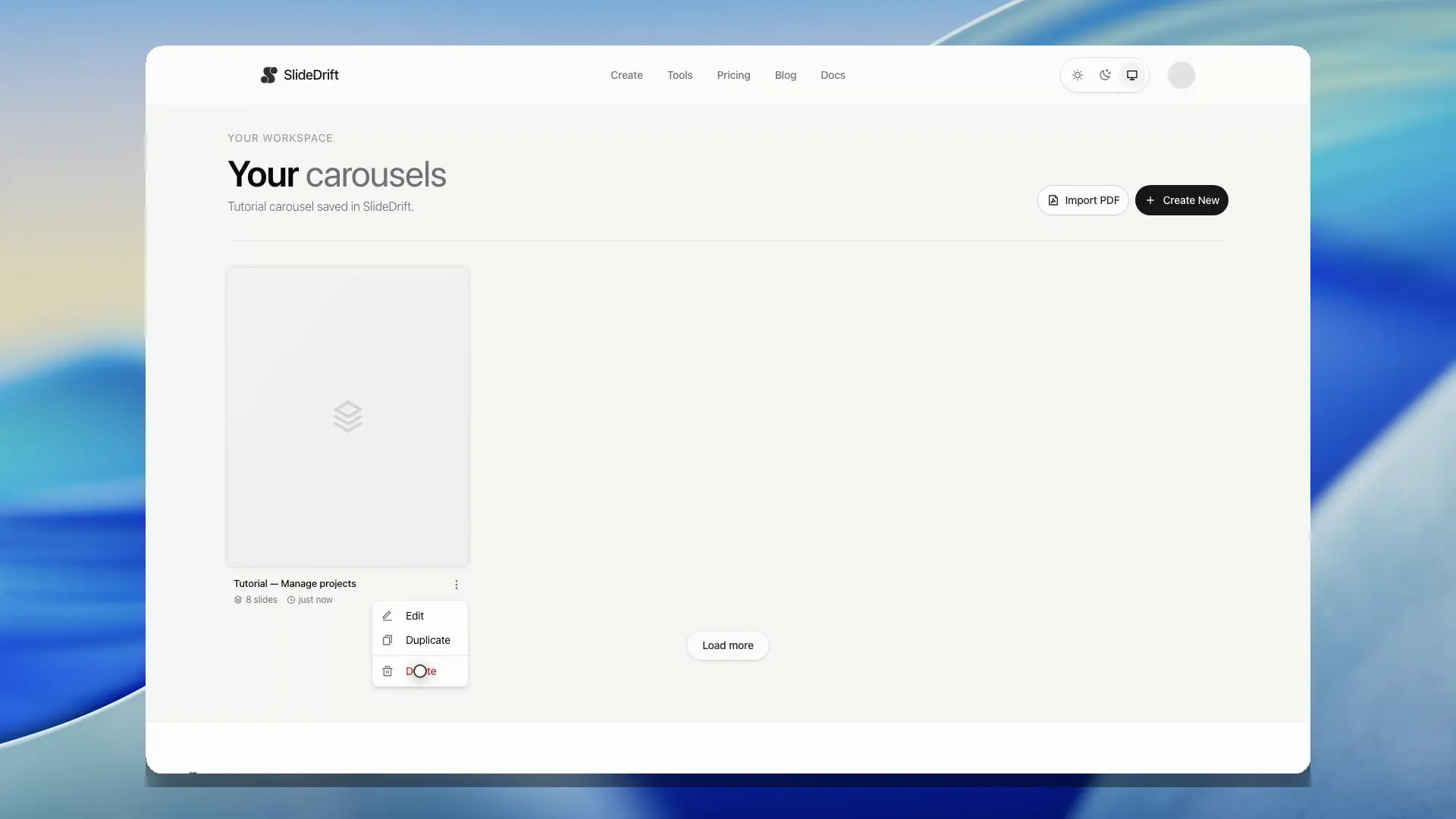
Go to your carousels page to see saved decks. From there, you can preview a carousel, reopen it in the editor, or start a new one.
The library loads saved carousels in batches. If your account has more saved decks than the first page shows, use Load more to continue through the library without leaving the page.
Signed-in users may also see recent carousels on the Create page. If the recent list cannot load, open the full carousel library or retry the section; saved work remains in the library.
Preview is useful when you want to inspect a saved carousel before reopening it. If saved preview images are still being prepared, SlideDrift can render the live slides in the preview modal so you do not have to open the editor just to identify the right deck.
Create a new carousel
Use the Create New button from the carousel library, or open Create directly.
Delete a carousel
Open the carousel card's actions in the library and choose Delete. SlideDrift asks you to confirm before permanently deleting the carousel.
Deletion cannot be undone. Preview or open the carousel first if you are not sure which saved deck the card represents.
Delete several carousels
- Open My Carousels and choose Select.
- Tick the cards you want to remove. Use Filter by title to narrow the list, then tick a matching card to reveal the selection controls.
- Choose Select all to include matching carousels beyond the loaded cards. For a library with more than 5,000 matches, the action selects only the newest 5,000.
- Review the selected count, choose Delete, and read the confirmation before continuing.
Changing the title filter clears your selection. Use Clear to untick everything or Done to leave selection mode.
Bulk deletion keeps carousels with a post, follow-up, or trigger still to go out in Schedule, and tells you how many were kept. For carousels it deletes, it also removes their posts from Schedule, including published post history and results. This cannot be undone. If deletion stops partway through, the message tells you how many were already deleted; check the remaining library before trying again.
Empty library
If you have not created a carousel yet, the library shows an empty state with a button to create your first carousel.
Sign-in required
The carousel library is available to signed-in users. If you are not signed in, SlideDrift sends you to the login page.
Guest-created carousels may be claimable after signup or login when the guest flow is available. If you expected a guest carousel to appear after signing in, return to the create or editor path you were using and complete any account-claim prompt.