

Create carousels
Start a new carousel from a URL, pasted text, notes, a PDF, or a template.
The Create page is where you start a new carousel.
You can paste a public URL, write directly into the input box, or use a PDF source on a paid plan or during a trial. You can also start from a template when you want a specific visual direction.
You can also start from a structured brief created elsewhere, such as a free planning tool, a use-case page, the Chrome extension, or the Google Docs and Sheets planning templates.
On desktop, the create input can focus itself when the page is ready and may rotate example prompts while it is empty. The examples are only suggestions; replace them with your own URL, notes, or idea before generating.
If the input is empty or too short, choose Generate to see what is missing. SlideDrift keeps the action available so a missing topic or invalid URL is explained instead of looking like an account or plan restriction.
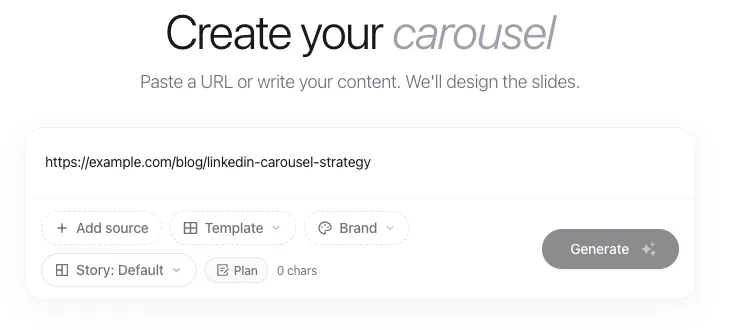
Main ways to start
- Create from a URL when the source is a public article or page.
- Create from text or notes when the source is private, unpublished, or rough.
- Create from a PDF when you want to process and reuse a document as the source.
- Use free planning tools when you need a topic, hook, outline, or source angle before generating.
- Start from a use case when you want the carousel shaped around a goal such as personal branding, thought leadership, repurposing, agency work, or employee advocacy.
- Improve generation results when the first draft needs more direction.
Optional controls
Depending on your account and selected template, the create box may show extra controls for source, template, brand, story mode, quality, format, slide count, imagery, or Plan Mode.
Use these when you want more control before the carousel is generated.
Selected options appear as chips above the input. Remove a chip when you want to clear that selection before generating.
Add, replace, or remove a source
Open the source menu to switch between a URL, PDF, or another supported input. Removing the active source clears that selection while keeping your written instruction available.
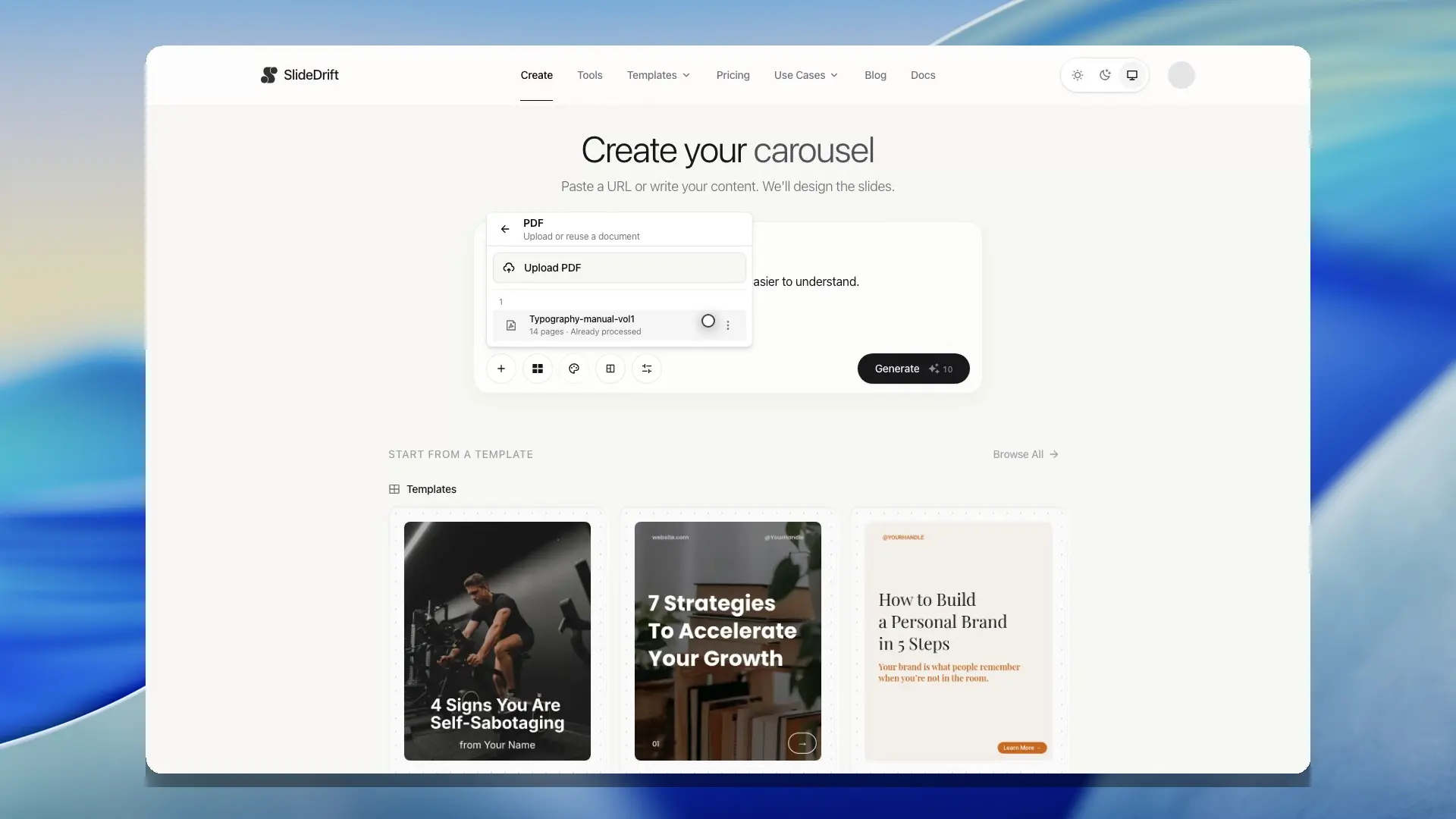
Add source images before generation
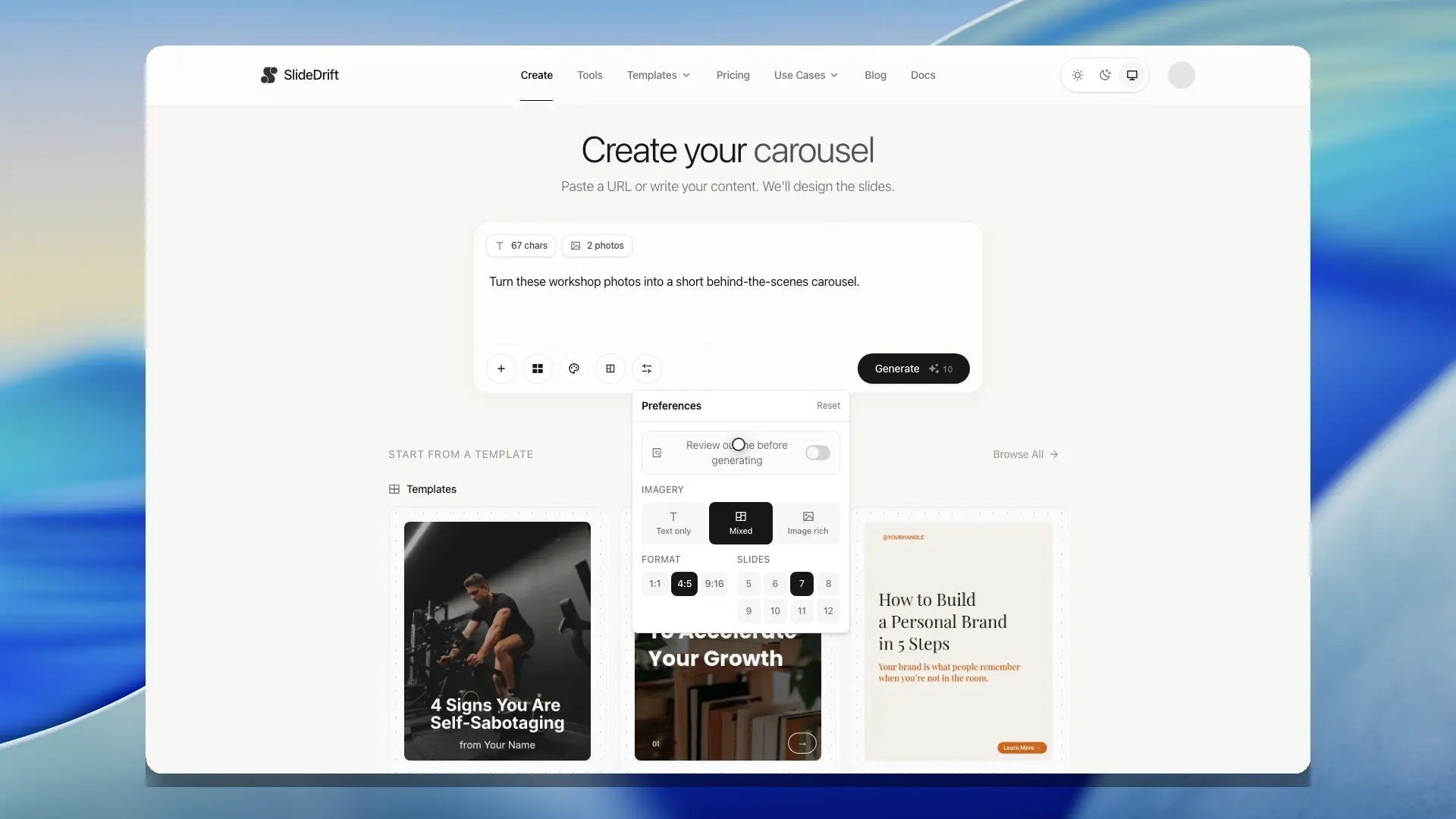
Use the Photos control to upload owned images or select suitable images from your media library. Arrange the selected images before generation so SlideDrift can use them as source material for image-led slides.
When you choose a template from the Create controls or a template card, the selected template stays visible as a removable cue so you can confirm the design direction before you generate.
When you do not choose a template, SlideDrift still starts from the default Light design direction so the first draft has a consistent structure and visual baseline.
Use the preferences control to choose the slide count, output format, and image density before generation. SlideDrift supports 5 to 12 slides, common carousel formats such as 1:1, 4:5, and 9:16, and image preferences from text-led to image-rich.
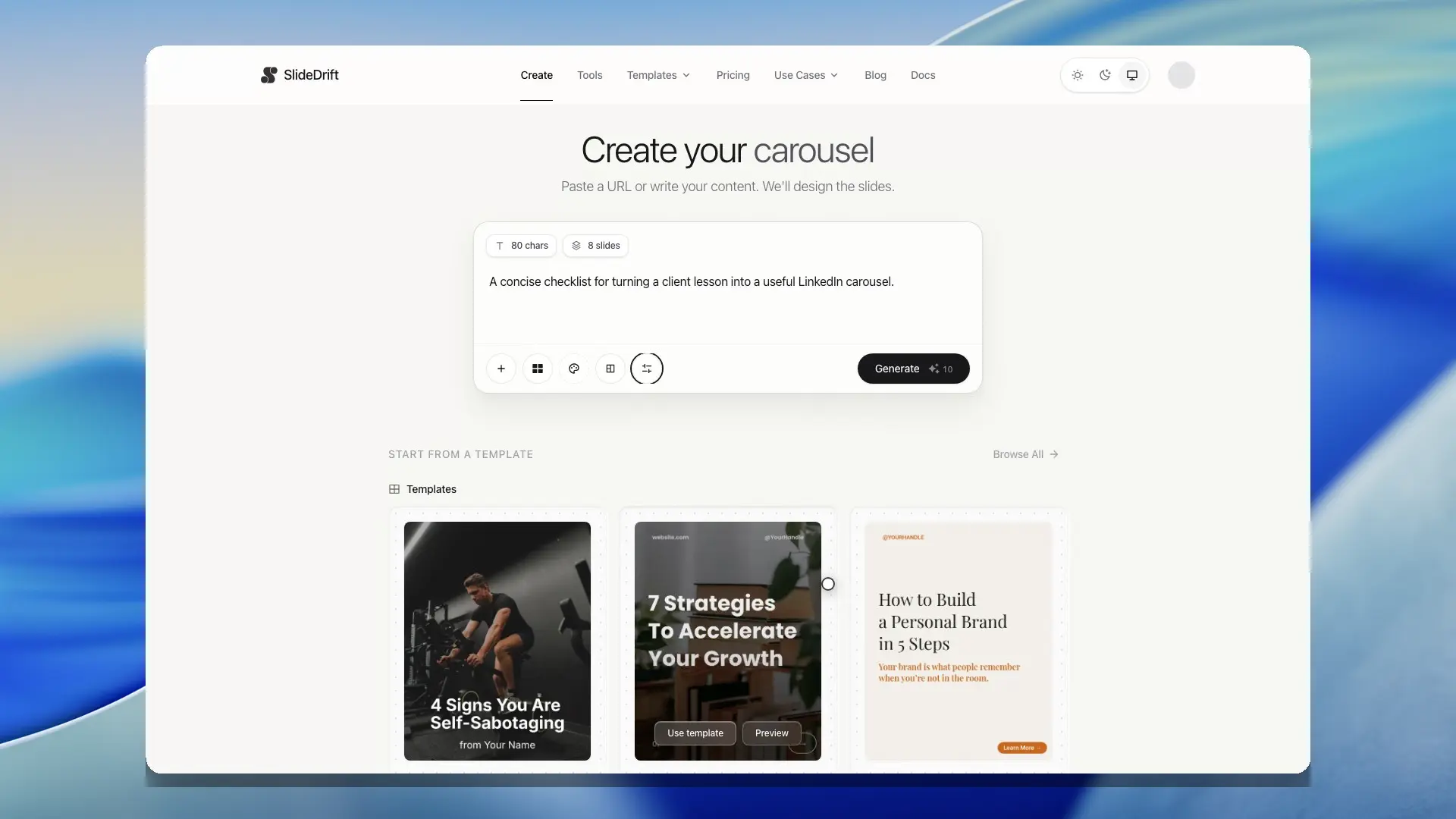
Some certified remix templates use a fixed 4:5 portrait format so the generated carousel can stay inside the certified design system. Sign in before generating with those templates.
Use optional controls deliberately:
- Choose a template when you want a specific visual structure.
- Choose a brand profile when the deck should use your colors, fonts, tone, logo, handle, website, or tagline.
- Choose a story mode when the same source could become a checklist, mistakes post, framework, case study, hot take, or another narrative shape.
- Choose imagery level based on whether the source has strong visuals and whether the deck should be image-led or mostly text-led.
- Use Plan Mode when you want to inspect or adjust the proposed structure before SlideDrift designs the deck.
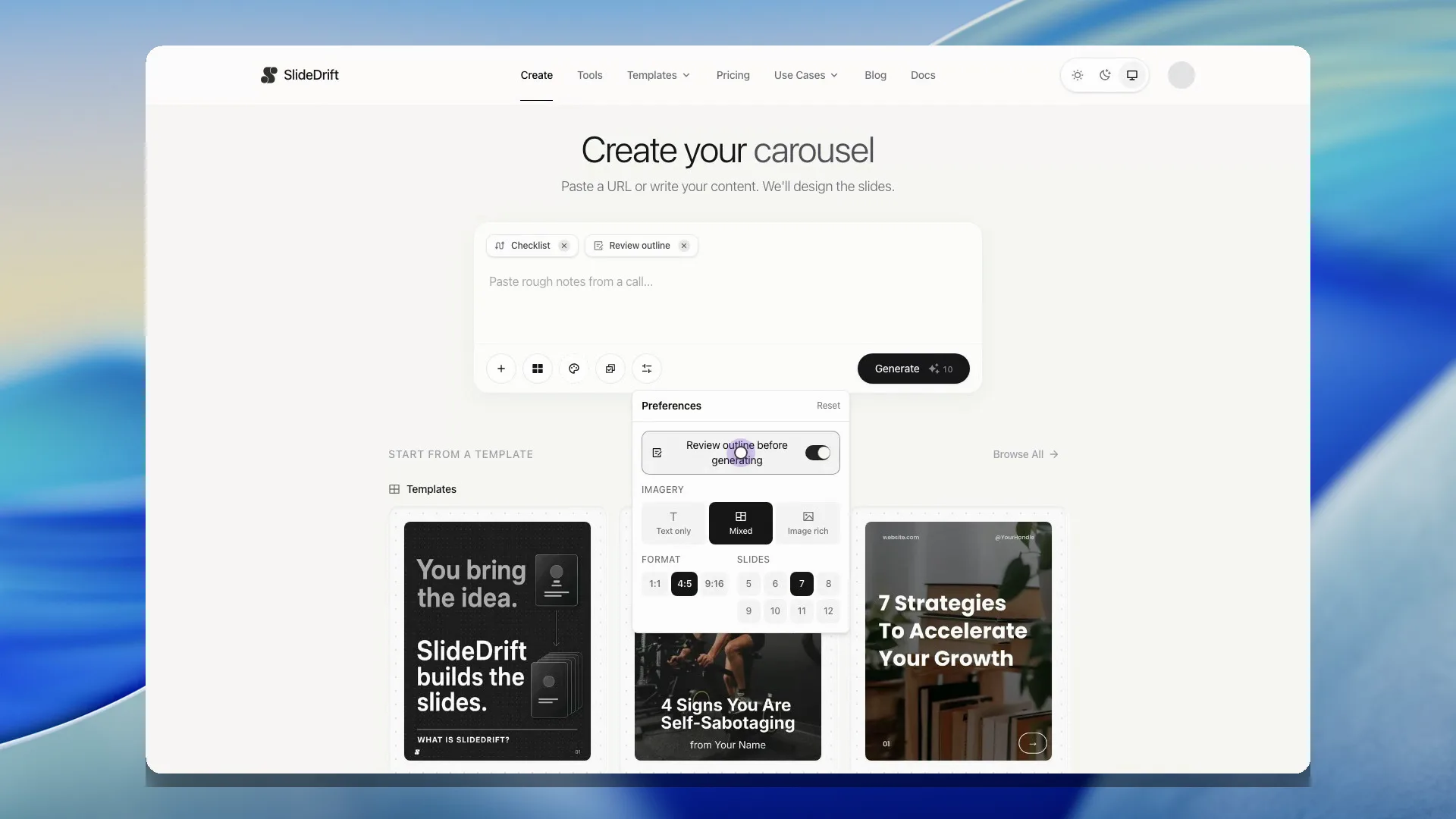
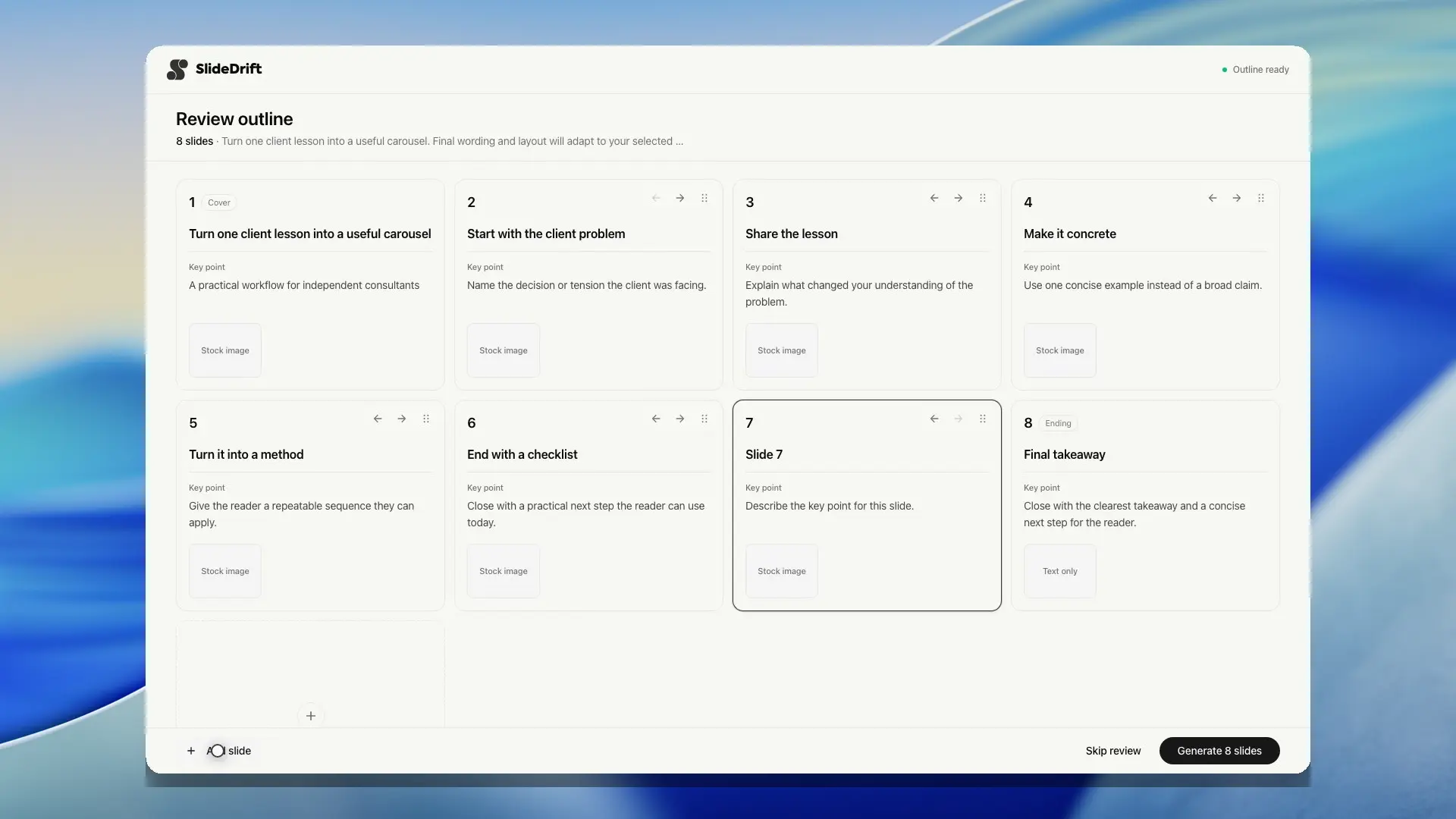
Review the outline before SlideDrift designs the deck
Enable Review outline before generating when the sequence matters. You can rewrite a proposed slide, add another step, and approve the final structure before full slide generation begins.
After generation
SlideDrift opens the carousel in the editor. From there, you can edit text, adjust design, work with images, apply brand settings, export, or create a share link.
Signed-in users may also see recent carousels on the Create page. Use those shortcuts to return to a draft or open a previous carousel without leaving the create flow.
During generation, the editor may show the deck structure before every slide is finished. Placeholder text and preview slides are replaced as real slide content arrives, so you can see progress without waiting for the whole carousel to complete.
Create also labels the active waiting stage while it reads the source and drafts the slides. For standard generation, the status keeps the usual 15-30 second expectation visible and opens the editor when the draft is ready.
The editor now shows generation progress directly on the canvas and briefly confirms when the deck is ready to edit.
If a generation is interrupted while placeholder slides are still visible, SlideDrift can continue the active generation instead of treating those placeholders as finished slide text. Saves and exports should use the generated copy once it arrives.
If the generation connection closes before SlideDrift receives a completion event, the editor shows an error instead of silently treating the partial draft as finished. Start the generation again when that happens.
Signed-in generation checks available credits before starting. If your account does not have enough credits, SlideDrift blocks generation before the draft begins.
Guests can start creating before signing up. If you have already created a guest carousel and SlideDrift needs an extra security check, the check appears only after you try to generate again and then continues the request once it is complete.
When you generate from a saved or system template, SlideDrift uses the template's text slots to keep fixed labels, structural prompts, and generated body copy in their intended roles. That helps generated text fit the design without cutting sentences mid-thought.
When the Remix designer uses source imagery, SlideDrift favors real image regions that can be filled with usable source or curated stock images. That helps image-led remix decks avoid empty placeholder panels when the original source has little or unreliable imagery.
Review proof and stat slides before publishing. The Remix designer avoids inventing unsupported numbers when the source does not include a real proof point, but you should still check that every measurable claim is backed by the source you provided.