Chrome extension
Turn what you are reading into a carouselwithout leaving the page.
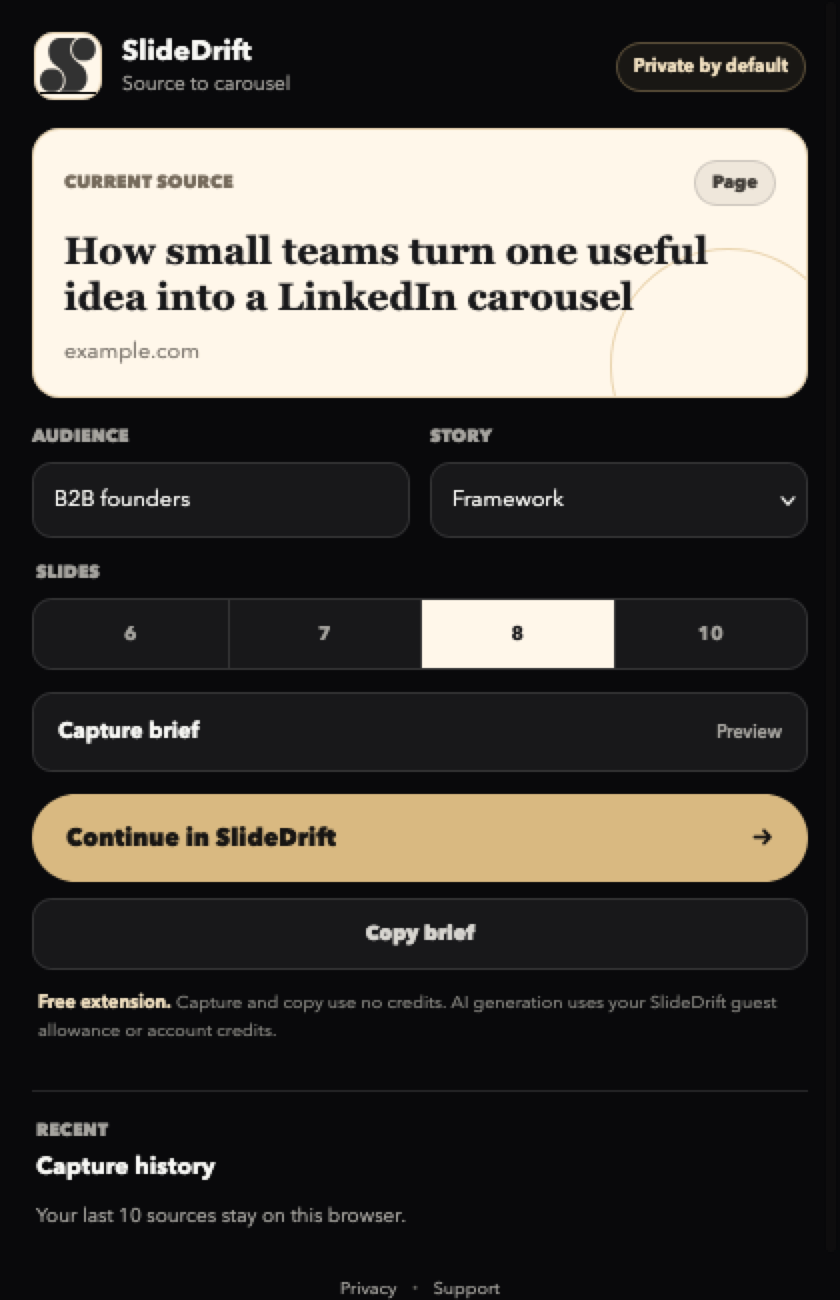
An article, a video, a link, or a passage you highlighted. The extension turns it into a carousel brief you can copy for free, or carry straight into SlideDrift.
Free to install. The brief preview and copy flow work without an account.
The useful part
A capture tool first, a shortcut second.
Three steps, all of them in the tab you already have open.
- 1
Open the source
Read the article or watch the public video you want to repurpose.
- 2
Set the direction
Pick the same Story and slide-count settings used in SlideDrift.
- 3
Continue in context
Open the complete brief in SlideDrift, review it, then generate as a guest or with your account.
YouTube and video
The transcript is yours to provide
SlideDrift does not scrape captions. Start from the visible video title and URL for a rough outline, or paste transcript text or notes you have permission to use.
Title + URL
A lightweight topic outline. No transcript is fetched and no detailed claims are assumed.
Transcript or notes
What you paste becomes the factual basis of the carousel, and is never saved in extension history.
What costs money
Capture is free.
Credits only come into it when SlideDrift generates the carousel.
Extension
Free, no account
Capture sources, shape the brief, paste video notes, copy the result, and keep local history without using AI credits.
Guest
Try the AI handoff
Open the imported brief and create a guest carousel before signing up. Guest generation is rate-limited and uses public styles.
Account
Save and scale
A free account starts with 200 credits. Standard generation costs 10 credits and a Pro template 30 (twice a day on Free); paid plans add monthly volume and publishing features.
What it does
Four things, done well.
Capture the source
Use the current article, video URL, selected text, or a link without giving the extension access to every website.
Shape the brief
Choose the audience, SlideDrift Story, and exact slide count before anything leaves the browser.
Copy for free
Build and copy the structured brief without an account or credits, or continue in SlideDrift when you want AI generation.
Return to recent sources
Keep a local list of the last 10 source URLs. Selected text is never saved in history.
Privacy by scope
No all-sites permission
Opening the popup reads the current tab title and URL after your click. Source details go to SlideDrift only when you choose an outbound action, and recent history stays in Chrome local storage.
- Brief copy works without an account
- Selected text is never stored in history
- History can be cleared from the popup
- Read the extension privacy details