

Editor overview
Learn the main SlideDrift editor areas and what you can change after generation.
The editor is where you review, refine, and prepare your carousel for export.
From the editor, you can change slide text, move through the deck, adjust design settings, work with images, apply brand settings, add or remove supported blocks, and export.
After your first generated deck is ready, SlideDrift may show a short guided tour that points out the canvas, blocks, brand controls, and export action. You can close it when you are ready to work.
While a new carousel or remix is still generating, the editor shows progress on the canvas and then confirms when the draft is ready to edit. Remix generations can also show the current generation stage in that progress area, so the status stays near the work area without taking over the canvas.
Main editor areas
- The canvas shows the current slide.
- The slide navigator helps you move between slides.
- The toolbar includes common actions like format, save, version history, preview, and export.
- The side panels contain Layers, text, block, media, background, brand, and Carousel settings.
- The properties panel changes based on the selected slide, text, image, or remix block.
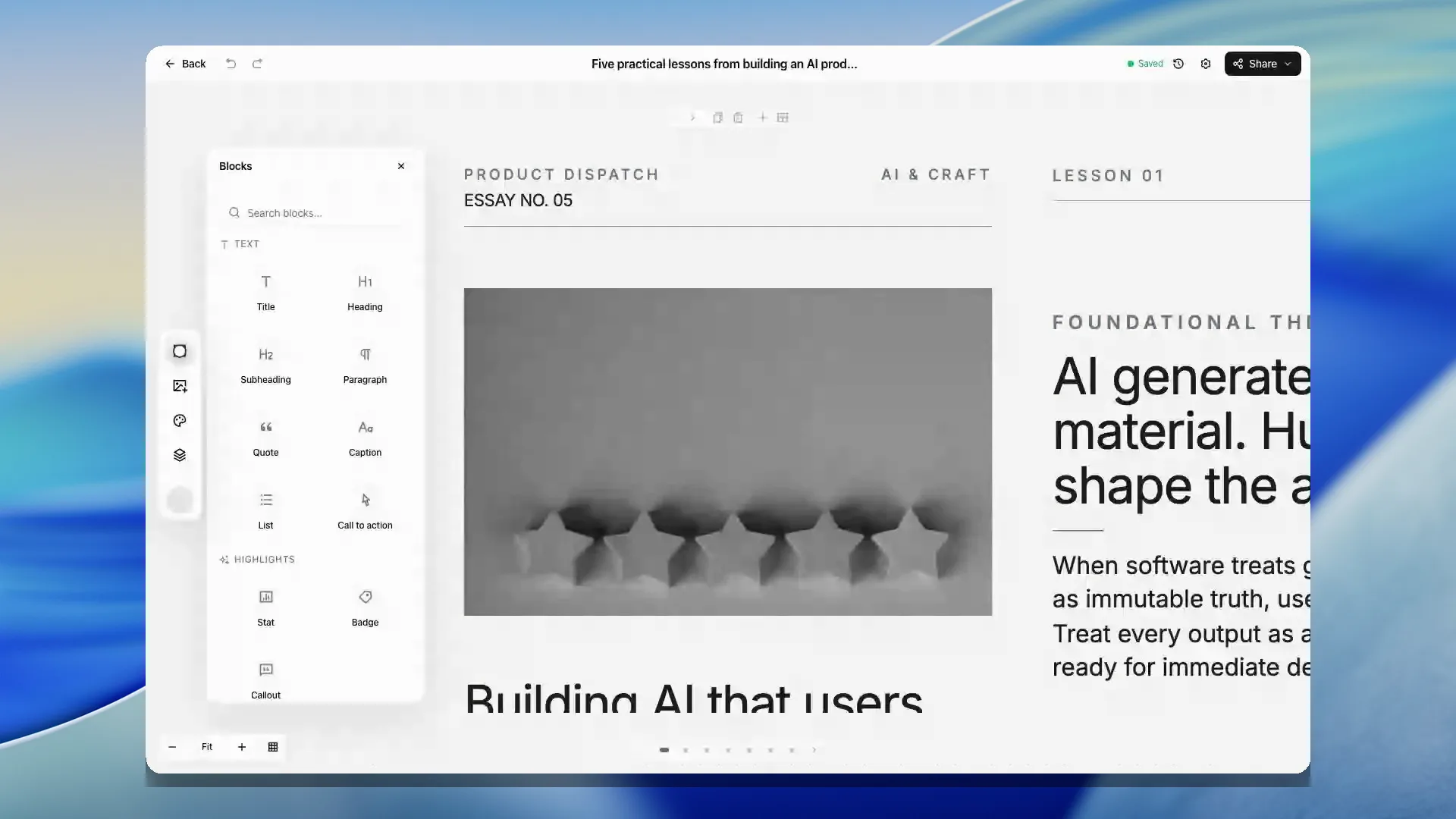
When a properties panel is open, the canvas keeps space for it on larger screens. On smaller screens, the panel moves lower on the page so the slide, toolbar, and navigation remain usable.
Work with panels
Slide overview, Version history, Keyboard shortcuts, Background Art, media browsing, and Save as template open in the right panel. Slide overview lets you drag slides into a new order and keeps the moved slide selected. Saving your own template still requires an eligible plan.
On wide app pages, use the tab on a supported right panel’s edge to hide it and give the page more room. Select the tab at the window’s right edge to bring it back, or use Command + backslash on Mac and Ctrl + backslash elsewhere. On smaller windows, panels open as sheets. Short tasks such as importing a PDF or previewing slides close when you select their ×.
Select and position elements
Open Layers when a slide has overlapping cards, text, or images and selecting the right element on the canvas is difficult. The panel lists the editable parts of the current slide, including the contents inside supported Remix cards. Locked elements remain visible in the list but cannot be moved.
On the canvas, drag an editable element to place it precisely. Shift-click to select more than one element, or drag over several elements to select them together. The Position on slide controls can align the selection to the slide margins or tidy a group into an even arrangement. Duplicate and delete actions apply to the current selection.
Use the canvas zoom controls to zoom in, zoom out, or return to Fit. Selecting a slide again also recentres it after the editor measures the available canvas space.
What to review first
Start with the story before fine-tuning design:
- Check the opening slide.
- Read the slide order.
- Fix unclear copy.
- Remove repeated points.
- Adjust design once the message works.
Then review the workflow-specific parts of the deck:
- Use text controls for slide wording, selected-text formatting, and AI rewrite actions.
- Use media controls for replacing image slots, uploaded images, search results, or AI images.
- Use the Brand panel when a saved brand profile should fill identity placeholders or restyle the carousel.
- Use Background Art and typography settings when the deck needs broader visual polish.
- Use Export only after the carousel is saved and the final slide order is correct.
Save restore points
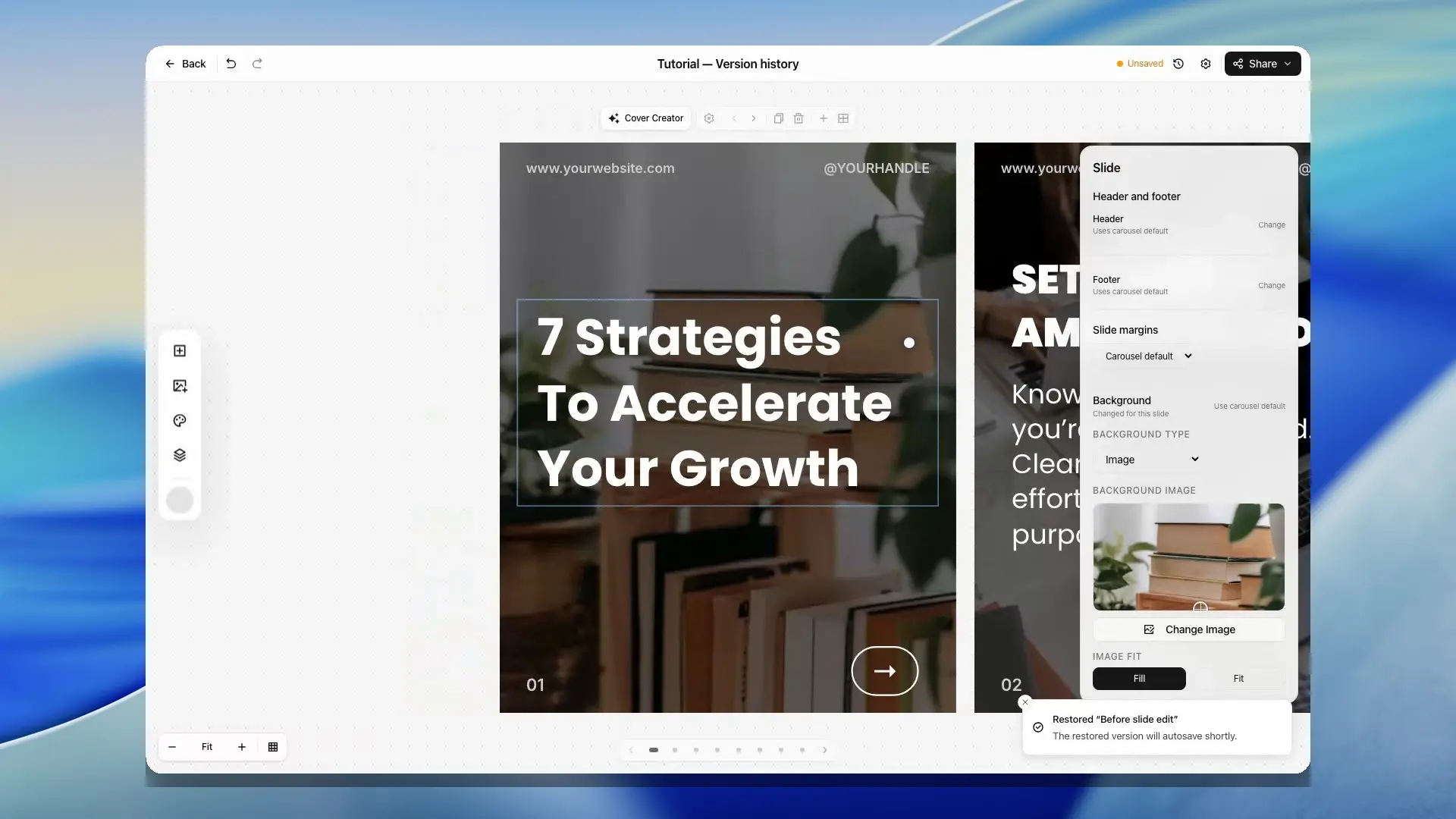
Signed-in users can open Version history from the editor toolbar to save a named checkpoint or restore one of the latest checkpoints for the carousel.
Use checkpoints before bigger edits such as applying a new template direction, changing a brand profile, or making a broad deck rewrite. Restoring a checkpoint brings back the saved title, slides, format, brand, and carousel settings, then autosaves the restored version.
Autosave and recovery
SlideDrift autosaves editor changes after a short pause while you work. Autosave waits when a carousel is still generating, when another save is already running, or when SlideDrift detects that a newer version has been saved somewhere else.
If saving fails, your edits stay in the tab and autosave pauses. Check your connection, then choose Try saving again. If you are signed out, use the offered sign-in link in a new tab, return to the editor, and retry saving. Keep the editor tab open until the save succeeds.
If navigation interrupts autosave, the editor can keep a local recovery copy for that carousel. When you reopen the editor in the same browser session, choose Restore edits to bring those unsaved changes back, or discard the recovery copy if you no longer need it.
If another tab or a generation step saved a newer version first, SlideDrift keeps your current tab's edits visible and pauses autosave. Open the latest saved version in a new tab to compare it. When the conflict is from another edit, you can choose to keep the current tab's version after confirming that it should replace the newer saved copy.

Replay the guided tour
Open Carousel settings and choose Replay tips under Help when you want to see the guided editor tips again.