LinkedIn Carousel Ideas for Founders: 30 Posts From Real Startup Work
30 LinkedIn carousel ideas for founders, from customer calls and roadmap decisions to pricing, hiring and fundraising lessons, with slide plans.

The best LinkedIn carousel ideas for founders come from decisions you've already made: what customer calls changed, what you chose not to build, how you priced, who you hired first and what you'd do differently. A founder carousel is worth reading when it shows the options, the choice and the reasoning, so another founder can apply the lesson. Below are 30 ideas in six groups, each with the material to build it from and a slide plan.
- Customer discovery: what calls and interviews changed.
- Product and roadmap: what you built, cut or delayed, and why.
- Go-to-market: positioning, pricing, sales objections and marketing.
- Fundraising and investors: what investor conversations taught you.
- Hiring and team: first hires, role design and onboarding.
- Operating and leadership: the routines and hard calls that keep the company moving.
What makes a founder carousel worth reading
"Hire slow, fire fast" is a poster. "Why we hired a support lead before a second engineer" is a lesson, because the reader can see the tradeoff and judge whether it fits their company. Build each carousel around one decision: the situation, the options, what you weighed, what you chose and what you'd change.
Put the decision on the first slide. "We said no to our biggest customers' top request" tells the reader what's at stake; "Lessons from year one" doesn't. The first slide examples include more openers for founders.
Then say where the lesson stops. "This worked for us at [stage], because [reason]" is more credible than a rule for every startup.
30 LinkedIn carousel ideas for founders
These are ideas to adapt, not posts by real founders. Swap the brackets for your own details, and drop any idea you can't back with your notes, your numbers or a quote you have permission to use.
Customer discovery
Build these from call notes, interview summaries and support tickets, with names and private details removed.
- "What customers said, and what we heard"
- "The [number] questions that showed us who our real buyer was"
- "What we changed after [number] customer calls"
- "Why we stopped asking 'Would you use this?'"
- "How to tell a nice-to-have from a painful problem"
Slide plan: what we assumed → what customers said → the pattern → what we changed → the question to ask → one next step.
Product and roadmap
Build these from roadmap notes, decision docs and the requests you said no to. Quote a customer only with their permission.
- "The feature we decided not to build, and why"
- "The rule we use to decide what not to build"
- "Why shipping faster didn't fix our real bottleneck"
- "The product signal we ignored for too long"
- "The customer quote that changed our roadmap"
Slide plan: the request or signal → the options → what we weighed → the decision → what changed → the rule another team can use.
Go-to-market
Build these from sales call notes, lost deals, the old and new versions of your pricing page, and the objections you hear most.
- "How we narrowed our ideal customer after chasing too many segments"
- "Why our first pricing page confused buyers"
- "The objection we stopped fighting and started answering earlier"
- "What a lost deal taught us about our pitch"
- "How one article became [number] LinkedIn posts"
Slide plan: what we believed → what buyers did → what we changed → the old and new version side by side → the lesson → one next step.
For idea 15, the content repurposing workflow for busy founders shows how to turn calls, newsletters and talks into carousels.
Fundraising and investors
Build these from your pitch notes and the questions investors asked.
- "What investors kept asking before they looked at the deck"
- "The metric we should have cleaned up before we raised"
- "How to explain your market without sounding generic"
- "The difference between traction and storytelling"
- "What I wish I'd prepared before my first investor call"
Slide plan: the question or moment → what we had ready → what was missing → what we changed → what we'd prepare next time.
If you're raising now, ask your lawyer before you post about the round. In the US, the SEC's guide to general solicitation says a communication that stirs up public interest in a raise is generally viewed as an offer, and that Rule 506(b) offerings can't use general solicitation.
Hiring and team
Build these from job descriptions, onboarding docs and your own notes on hires that worked or didn't. Leave out anything that identifies a person who hasn't agreed to be in the post.
- "The first hire that changed how we work"
- "How we wrote a role before we were ready to hire"
- "Why early hiring mistakes are usually clarity mistakes"
- "The onboarding checklist I wish we'd had from day one"
- "What I learned from hiring too late"
Slide plan: the gap we felt → what we tried first → the role we wrote → what changed after the hire → what we'd do differently.
Operating and leadership
Build these from meeting notes, decision docs and the weekly routines you actually run.
- "The weekly review that keeps us from drifting"
- "The decision I kept putting off"
- "The task I stopped doing myself, and who took it over"
- "How we write decisions down so the team can disagree"
- "The metric we stopped tracking, and why"
Slide plan: the problem → what we tried → the habit or decision → how it runs in a normal week → one thing to copy.
If your startup sells software, the SaaS carousel examples add product education, launch and research ideas.
Plan the slides around one decision
Before you write a slide, fill in these seven lines. If you can't fill in "What we weighed", the idea needs more thinking before it needs slides.
Decision:
Options we had:
What we weighed:
What we chose:
What changed (only what we can show):
What we'd tell another founder:
Keep private:Worked example
Completed brief: the feature we decided not to build
This founder is made up, so treat the details as an illustration. The structure is the part to copy.
Decision: whether to build the custom report builder our largest accounts kept asking for.
Options we had: build it now, ship a simple export, or wait.
What we weighed: the accounts asking were already active, while new accounts were getting stuck in setup.
What we chose: a simple export now, and this quarter's product work on setup.
What changed: new accounts get a guided setup, and the report builder stays on the list. There's no result to show yet, so the deck doesn't claim one.
What we'd tell another founder: sort requests by who is asking, not how loudly.
Keep private: the accounts' names, contract sizes and usage numbers.
Seven slides:
- "We said no to our biggest customers' top request."
- The request, and who was asking.
- The options: build it, ship an export, or wait.
- What we weighed: active accounts asking, new accounts stuck in setup.
- What we chose: an export now, setup work this quarter.
- What changed, with no result claimed before there is one.
- The lesson: sort requests by who is asking, not how loudly.
Every slide traces back to a line in the brief, so a cofounder can check the deck against it and cut anything the brief doesn't support.
What to leave out
Anything on a slide is public once you post it. Before you paste notes into any tool, take out:
- investor updates, terms and valuations you haven't agreed to share
- customer names, quotes and data you don't have permission to use
- details that could identify an employee or candidate
- unreleased plans and numbers you wouldn't put on your website
Make one in SlideDrift
Start with notes you already have: a memo, a call summary with names removed, a product update, the part of an investor update you're free to share, a newsletter draft or a list of lessons. Paste them into the Create box with a short instruction; the create-from-notes guide shows the steps. If the lesson is already in a public blog post or newsletter, paste its link on its own line instead.
SlideDrift brief
Turn my notes below into a LinkedIn carousel for [audience].
Build it around one decision: [the decision].
Slides: the decision, the situation, the options we had, what we weighed, what we chose, what changed, the lesson.
Use only what's in my notes. No hype, no generic startup advice and no numbers I haven't given.

[Paste your notes here]Recreate, under the brief, opens SlideDrift with it filled in. Replace the brackets, then press Generate. The number of slides comes from Preferences, which starts at 7, not from the brief.
SlideDrift drafts the slides. Edit them until every slide says what you decided and why, in your words. LinkedIn's guidance on AI-assisted posts welcomes them when they reflect a real person's view. It says you're responsible for what you post, asks you to disclose heavy AI use, and says generic posts get less distribution. The five-pass review for AI drafts covers facts, permission and voice. When the deck is ready, click Share, then Export, and Download PDF.
Make a carousel from your notes
Paste your notes on one decision. SlideDrift drafts the slides; you edit them, then export the PDF for LinkedIn.
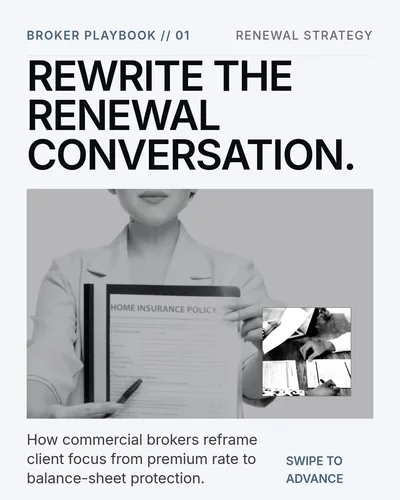
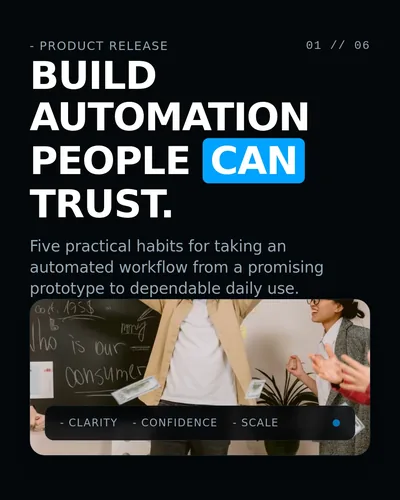

Before you post
Upload the PDF as a document post. LinkedIn's help page on document posts recommends PDF for the best quality, accepts files up to 100 MB and 300 pages, and has you add a document title. Viewers can download the document as a PDF, and you can edit the description after posting but not the document, so check every slide before you upload.
On any paid plan, SlideDrift can also schedule the carousel to your LinkedIn profile; Company Pages need Pro or Agency. Either way, run the LinkedIn carousel checklist first.
FAQ
What should founders post as LinkedIn carousels?
Decisions other founders will face: what customer calls changed, what you chose not to build, how you priced, who you hired first and how you run the company week to week. Show the options and your reasoning, not just the outcome.
Should founders share fundraising lessons on LinkedIn?
Lessons from investor conversations can help other founders, such as the questions you couldn't answer or the metric you wish you'd cleaned up. Leave out terms, valuations and investor names you haven't agreed to share. If you're raising in the US right now, check with your lawyer before posting about the round.
Can founders turn customer calls or investor updates into carousels?
Yes, once you remove confidential details. Summarize the pattern instead of quoting private notes, and quote a customer only with their permission. Treat every slide as public, because viewers can download a LinkedIn document post as a PDF.
How many slides should a founder carousel have?
Enough for one decision, with one job per slide. SlideDrift drafts 7 by default, and you can change the count in Preferences. The guide to carousel length shows how to plan a slide budget.