Remix · Free to start
Free Golden Ink LinkedIn Carousel Template

About
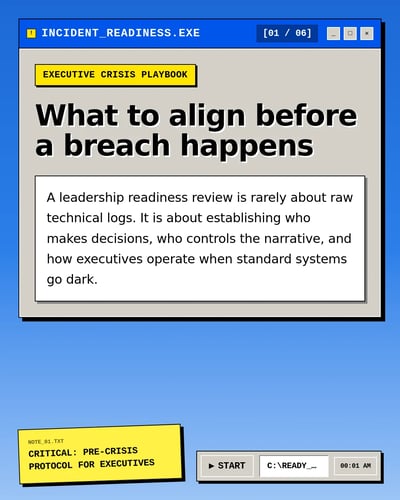
Dark slides with large serif headlines, rounded photo frames and small yellow highlight tags.
You do not need a design background to use it. Paste a link, some rough notes, or a single sentence about your idea, and you get a full set of slides back with your words already laid out. Everything stays editable: the wording, the colours, the images, the order of the slides. This one suits remix posts but is not tied to any profession, so it works whatever you write about.
On a paid plan you can connect your LinkedIn account and skip the download entirely. SlideDrift posts the carousel for you, or holds it in a queue and publishes it at a time you pick, so a month of posts can be lined up in one sitting.
Start free. A new account comes with enough credits to make and download several carousels, so you can try this design before deciding whether to pay for anything. Paid plans are there when you want to make more.
Best for
- Sharing something you have learned
- Turning an article you wrote into a post
- Explaining how something works
- Introducing what you or your company does
- Summarising a newsletter or update
- Posting consistently without designing each one
- Lining up a month of posts in one sitting
How to use it
- 1Open the template in SlideDrift.
- 2Add your topic, notes, article, or source material.
- 3Review the generated carousel plan.
- 4Edit slides and apply your brand profile.
- 5Download a LinkedIn-ready PDF, or on a paid plan let SlideDrift post it for you.
What you get
- 6 slides, written for you
- Your own words, colours, and images
- A PDF sized for LinkedIn
- Posting and scheduling built in on paid plans
Questions about this template
Is this LinkedIn carousel template free?
Yes. You can start with this template using SlideDrift's free credits. Paid plans are available if you need more generations, exports, or advanced features.
Can I edit the Golden Ink template?
Yes. Every part of it. Change the wording on any slide, swap the colours and images for your own, add or remove slides, then download it.
Will my carousel look exactly like this preview?
No. The preview shows the style. When you use it, you get a new carousel in the same look, with slides written about your topic rather than this one.
Can I use it for any topic?
Yes. This design is not tied to any profession or subject, so it works whether you are explaining your work, sharing an opinion, or reposting something you wrote elsewhere.
Can SlideDrift post it to LinkedIn for me?
Yes, on a paid plan. Connect your LinkedIn account and SlideDrift can publish the carousel for you, or hold it in a queue and post it at a time you choose. On the free plan you download the PDF and post it yourself.
Can I export it for LinkedIn?
Yes. When you are happy with it, download it as a PDF already sized for a LinkedIn carousel post.