Contentdrips vs SlideDrift: Which Carousel Tool Fits Your Work?
Contentdrips fills a large template gallery and publishes from $15 a month; SlideDrift drafts designed LinkedIn posts from your notes from $29. An honest look.

Contentdrips vs SlideDrift comes down to what you start from and how the finished carousel should look. Contentdrips fills a large template gallery from a topic, a link or a video and publishes to LinkedIn and Instagram, from $15 a month. SlideDrift is a LinkedIn content studio: it turns your own notes, links and PDFs into designed carousels, graphics, text posts and polls, then schedules them to LinkedIn on every paid plan, from $29 a month.
For other networks, SlideDrift exports PDF or PNG in square 1:1, portrait 4:5 or stories 9:16 sizes.
Which should you choose?
Choose by the work you do most weeks, not by the longest template list.
Choose Contentdrips if you want the lowest monthly price for publishing to LinkedIn, you like picking from a big template gallery, or you build batches of carousels from a spreadsheet.
Choose SlideDrift if you sell your expertise on LinkedIn and the carousel has to look considered. You get designed carousels from your own material, the other LinkedIn post types in the same place, client approval links and scheduling from the first paid plan.
Choose both for a week if you're unsure. Contentdrips has a free plan and SlideDrift a free plan plus a 7-day trial, so run the same notes through each with the test further down.
We make SlideDrift, so weigh that. This comparison was prepared by Matt Lok, and its facts were checked on each tool's own pages between October 21 and October 28, 2026.
Before you pay for either, run a short test on your own material. Here it is as a carousel, made in SlideDrift from one of its Remix designs.
SlideDriftCreate your ownCarousel transcriptShowHide


- 01The 10-minute test. Test any carousel generator in 10 minutes. Every tool's demo looks good. Run these five checks on your own material before you pay: a real source, the first slide, one edit, your brand and the exported PDF. Use the same source in every tool you test.
- 02Test 01, bring your own source. Start from a real source. Paste an article, a newsletter or notes you'd actually post about. A one-line topic shows what the tool invents; your own material shows what it understands.
- 03Test 02, the hook check. Judge slide one first. Does the first slide make a specific promise to one reader? If it could introduce any post, the tool wrote a title, not a hook. A good hook: specific, one reader, one promise.
- 04Test 03, no full regeneration. Edit one slide without starting over. Change a headline, swap an image and reorder two slides. If fixing one slide means regenerating the whole deck, every draft becomes a gamble.
- 05Test 04, your brand settings. Apply your brand once, then reuse it. Save your fonts, colors and logo once, and check they land on every slide of the next carousel without fixing anything by hand.
- 06Test 05, the final check. Export the PDF and open it on a phone. Every page the same size, text readable at phone size, slides in the right order. Pick the tool that passes all five on your own material.
Contentdrips vs SlideDrift at a glance
| Contentdrips | SlideDrift | |
|---|---|---|
| Built for | Filling templates fast and publishing them | LinkedIn posts in your brand, from your own material |
| Posts start from | A topic, a blog link, raw text, a YouTube video, a TikTok or Reel | Notes, text, a link or an idea; a PDF on paid plans |
| Designs | 500+ LinkedIn carousel templates listed | Remix designs and templates, edited slide by slide |
| Carousel sizes | 1:1 or 4:5 templates listed | 1:1, 4:5 or 9:16 |
| Free plan | $0, 50 AI credits, 1 brand | 200 credits, small SlideDrift banner on exports |
| Paid plans | $15 or $26 a month | $29, $59 or $199 a month; 7-day trial |
| Publishing | LinkedIn and Instagram | LinkedIn, with exports for other platforms |
| Brands | 1, 3 or unlimited | 1, 1, 5 or 25 Brand Kits |
| AI assistants | Its own MCP | Claude, ChatGPT, Codex and Cursor over MCP, on every plan |
Contentdrips, in brief
Contentdrips turns a topic, a blog link, pasted text, a YouTube video or a TikTok or Reel into carousels, text posts and graphics. Its homepage says it writes the post text and the design, applies your brand kit automatically and publishes directly to LinkedIn and Instagram. You can also work with it through its MCP.
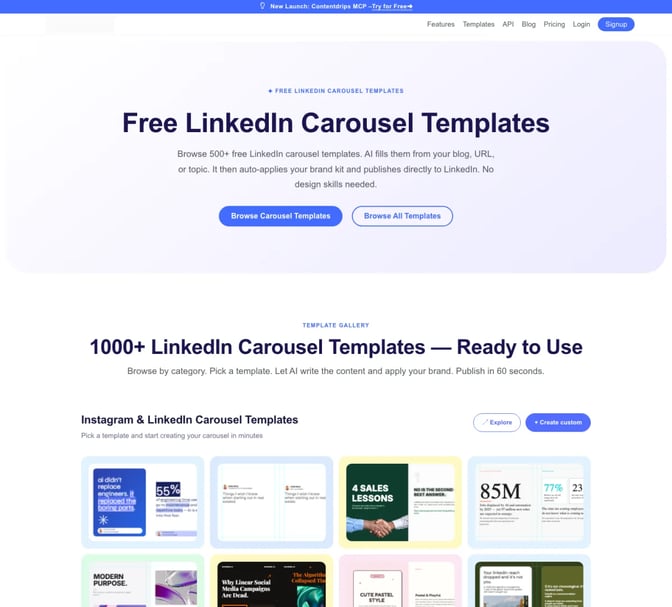
The template gallery is the centre of it. Its templates page lists more than 500 free LinkedIn carousel templates in square and portrait sizes, filled by AI from your source, with a brand kit of fonts, colours, logo and gradients.
Its pricing page lists a Free plan with 50 AI credits and 1 brand. Starter is $15 billed monthly with 500 AI credits, 3 brands, 2 team members and Publish to LinkedIn. Pro is $26 with unlimited brands, unlimited teams and 1,200 AI credits. The page also lists CSV to Carousel, for building a batch from a spreadsheet, and Push to Zapier. It shows two plan tables, so confirm the price at checkout.
SlideDrift, in brief
SlideDrift is a LinkedIn content studio. You paste notes, a link or half an idea on Home and choose what to make, such as post ideas, a carousel or a graphic.

For a carousel, you pick a Remix design or a template, and SlideDrift writes your material into it. You then edit slide by slide, or ask Pip, SlideDrift's helper, to make changes in a chat. On a paid plan you can start from a PDF of up to 100 pages, such as a report or a case study. A Brand Kit carries your colours, fonts, logo and writing style, and you can import it from your website.
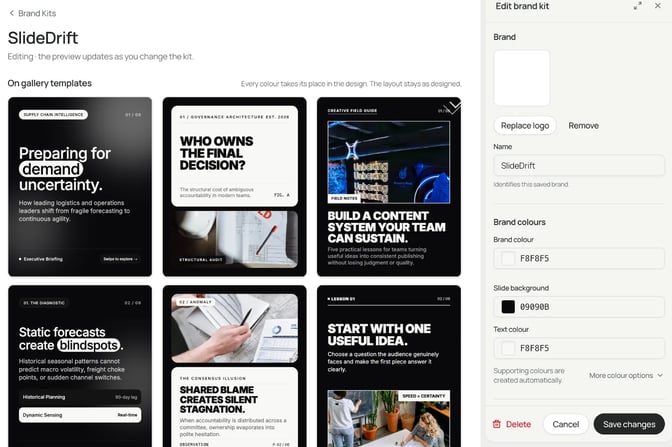
Around the carousel sits the rest of a LinkedIn routine. Post ideas turns one source into carousel, image, text and poll drafts, and drafting is free. LinkedIn scheduling publishes carousel, image, multi-image, video, poll and text posts, with a first comment, client approval links and analytics. SlideDrift posts your own videos but doesn't make them.
Run the same test in both
Compare the path to a publishable carousel, not two first drafts. Give both tools the same real source. Both start from a link, so an article works; how to create a LinkedIn carousel from a URL shows what SlideDrift reads from a page.
Workflow test
Test: one client newsletter into one carousel
A made-up example. A small accounting firm's 900-word client newsletter on year-end tax deadlines, with three dates, the penalty for missing each one and a checklist.
A useful result is one story in seven slides, not a summary of the newsletter: a specific promise ("Three dates decide your tax bill"), one slide per deadline, what missing it costs, one action for this week, and a closing question.
Score both drafts with the same five checks. The second one is the hook: does slide one make a specific promise to one reader?

The last check happens outside both tools. Export the PDF, open it on a phone and read every page.

Count how many of the newsletter's points survive, how many slides you rewrite, and how many steps are left before the PDF is ready or the post is scheduled. Set both tools to the same slide count; SlideDrift lets you choose 5 to 12 slides before you generate.
Features compared
| Feature | Contentdrips | SlideDrift |
|---|---|---|
| Carousel from text or a link | ✓ | ✓ |
| Carousel from a video | ✓ YouTube, TikTok, Reels | ✗ |
| Batch from a spreadsheet | ✓ CSV to Carousel | ✗ |
| Designed templates | ✓ 500+ listed | ✓ Remix designs and templates |
| Work through an AI chat | ✓ through its MCP | ✓ Pip, and MCP |
| Brand kits | ✓ | ✓ website import |
| Company Pages | ✓ | ✓ Pro and Agency |
| Publishes beyond LinkedIn | ✗ exports instead |
Contentdrips takes more kinds of source, including videos and spreadsheets, and publishes to Instagram as well. SlideDrift is built around LinkedIn: it also reads PDFs on paid plans, schedules polls as well as carousels, and sends client approval links before anything goes out.
Pricing for the same job
Take one consultant posting one carousel a week to their own LinkedIn profile, scheduled ahead.
- Contentdrips: Starter at $15 a month lists Publish to LinkedIn and 500 AI credits. Pro is $26 a month.
- SlideDrift: Starter at $29 a month schedules to one LinkedIn profile and includes 1,000 credits. A carousel costs 10 credits to generate, plus 20 credits to export without the banner, so four a month use a small part of the plan. Pro is $59 and Agency $199.
For that job, Contentdrips costs less: $15 against $29. On SlideDrift the higher price covers carousels in its designs, drafted from your notes or PDFs, plus polls, client approval links and a first comment in the same place.
For an agency with many client brands, Contentdrips Pro lists unlimited brands at $26. SlideDrift Pro holds 5 Brand Kits and 3 LinkedIn accounts, Company Pages included, at $59, and Agency holds 25 kits and 10 accounts at $199. If you also post the same carousel to Instagram, Contentdrips publishes there directly. With SlideDrift you'd use image links, a public JPEG link per slide, in a posting app you already use. Full plan details are on SlideDrift's credits and billing page.
Switching between Contentdrips and SlideDrift
There's little to move. A carousel you've posted on LinkedIn is a PDF document post, and it stays where it is. LinkedIn's help page notes you can't change the document after posting, so switching tools never touches old posts.
- Keep your sources. Both tools start from text and links, so notes, articles and outlines move by copy and paste.
- Rebuild your brand once. Import your website into a SlideDrift Brand Kit, or set colours, fonts and logo by hand.
- Reconnect your accounts. Connect LinkedIn in the new tool before you cancel the old one, and move queued posts across.
- Plan the rest. If Contentdrips publishes your Instagram posts or builds batches from a spreadsheet today, decide where those go before you switch.
Some people use both: Contentdrips for spreadsheet batches and Instagram, SlideDrift for designed LinkedIn carousels and the rest of their LinkedIn posts.
FAQ
What is a good Contentdrips alternative for LinkedIn?
SlideDrift, if LinkedIn is where your clients find you. It drafts designed carousels from your own notes, links or PDFs, keeps your brand on every slide and schedules carousel, image, text and poll posts to LinkedIn from its first paid plan.
Is Contentdrips or SlideDrift better for LinkedIn carousels?
SlideDrift if you want carousels drafted from your own material in a considered design, with approval and scheduling in one place. Contentdrips if price matters most, you start from videos or spreadsheets, or you also publish to Instagram.
Does Contentdrips have a free plan?
Yes. Its pricing page lists a $0 plan with 50 AI credits, basic templates and 1 brand. SlideDrift's free plan gives 200 credits, with a small banner on exports.
How much do Contentdrips and SlideDrift cost?
Contentdrips lists Starter at $15 and Pro at $26 billed monthly. SlideDrift's plans are $29, $59 and $199 a month, each with LinkedIn scheduling, and a 7-day trial that charges nothing at the start.
Can SlideDrift post to Instagram?
Not directly. SlideDrift publishes to LinkedIn, and for other platforms you export PDF or PNG at 1:1, 4:5 or 9:16, or use image links in a posting app. Contentdrips publishes to Instagram.
What size should the carousel be?
Most LinkedIn carousels use 4:5 portrait pages. Check yours with the free LinkedIn carousel size tool, then run the deck through the LinkedIn carousel checklist before you post.
Make your first carousel in SlideDrift
Run the test with a brief like this one:
SlideDrift brief
Turn the newsletter below into a 7-slide LinkedIn carousel for small business owners.
Make slide one a specific promise about the three dates that decide their tax bill.
One deadline per slide, what missing it costs, one action for this week, then a closing question.

[Paste the newsletter here]To weigh more tools, read our guide to the best AI LinkedIn carousel generators or PostNitro vs SlideDrift.
Make a carousel from your notes
Paste the same source you'd give Contentdrips. SlideDrift drafts the carousel in a design you choose; you edit it, then export a PDF or schedule it to LinkedIn on a paid plan.


Brief for this carousel
Make a 7-slide LinkedIn carousel for accountants from a 900-word client newsletter on year-end tax deadlines. Slide one is a specific promise: three dates that decide your tax bill. Then one point per slide: each deadline, what it costs to miss it, one action for this week, and a closing question for the reader.