LinkedIn Carousel Hook Examples: 36 First Slides You Can Reuse
36 LinkedIn carousel hook examples in five types, reusable formulas, and a first-slide checklist. Pick the hook that makes the second slide worth seeing.
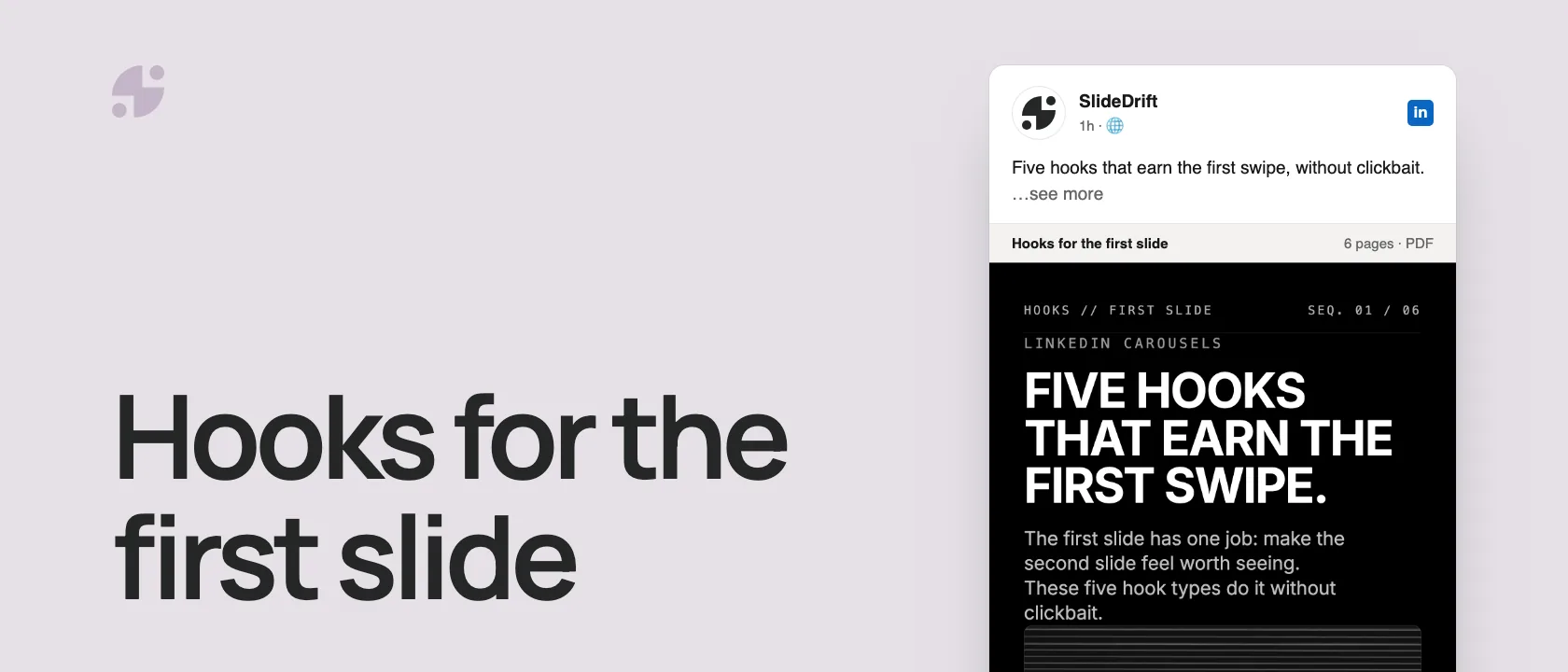
A LinkedIn carousel hook is the first slide's promise: the reason to stop scrolling and swipe. Strong hooks usually do one of five things:
- Name a mistake the reader recognizes.
- Push back on something everyone says.
- Show a before and after.
- Promise a framework they can reuse.
- Ask a question they already have.
Below are 36 examples by type, five formulas you can reuse, and a checklist for your first slide.
What a good carousel hook does
A good carousel hook has one job: make the next slide feel worth seeing.
It should not summarize the whole carousel. It should not try to sound clever at the expense of clarity. It should not be so broad that any creator in any industry could use it.
Use this test:
| Question | Good answer |
|---|---|
| Who is this for? | A clear reader, not everyone. |
| What problem does it name? | A visible pain, confusion, mistake, or opportunity. |
| What does the reader get? | A framework, checklist, example, or sharper way to think. |
| Can it fit on one slide? | Yes, without tiny text. |
| Would someone save it? | Possibly, because it solves a repeat problem. |
Here are the five hook types as a carousel, made in SlideDrift.
SlideDriftCreate your ownCarousel transcriptShowHide


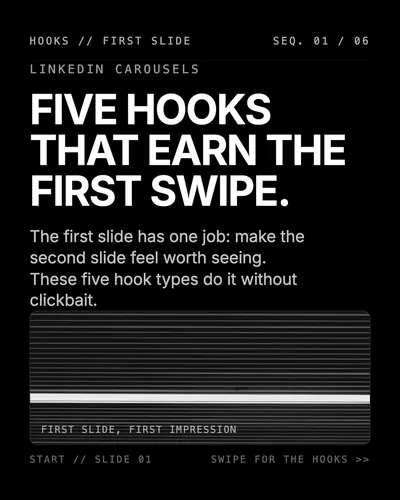
- 01Five hooks that earn the first swipe. The first slide has one job: make the second slide feel worth seeing. These five hook types do it without clickbait.
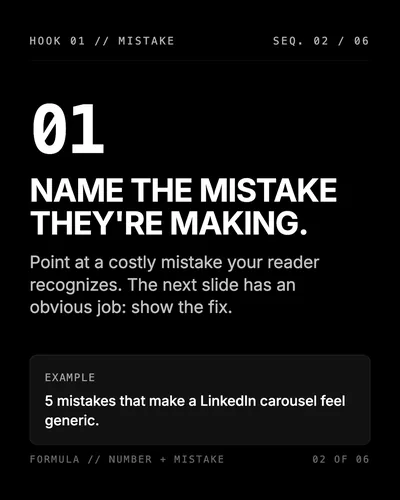
- 02Hook 1, mistake. Name the mistake they're making. Point at a costly mistake your reader recognizes. The next slide has an obvious job: show the fix. Example: 5 mistakes that make a LinkedIn carousel feel generic.
- 03Hook 2, contrarian. Push back on what everyone says. Most people think X; the better approach is Y. Name a common belief, then a specific alternative. Example: you don't need a better template, you need a sharper first slide.
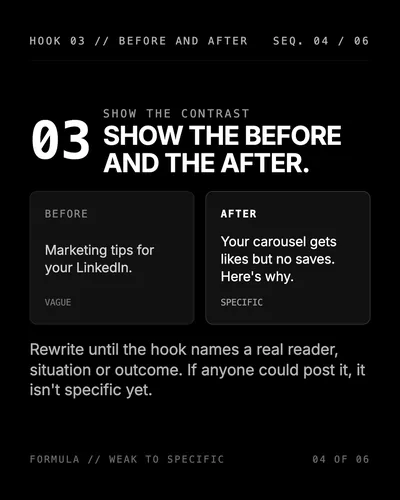
- 04Hook 3, before and after. Show the before and the after. Before (vague): Marketing tips for your LinkedIn. After (specific): Your carousel gets likes but no saves. Here's why. Rewrite until the hook names a real reader, situation or outcome.
- 05Hook 4, framework. Promise a framework they can reuse, such as a simple 5-slide framework for any complex idea. Say how many steps and what they're for, then make every slide deliver one step.
- 06Hook 5, question. Ask the question they already have, such as: what should the first slide actually do? A real reader question earns the swipe. Then answer it. Test: could anyone post this?
36 LinkedIn carousel hook examples
Use these as first-slide starting points. Rewrite the wording so it matches your audience, source material, and carousel format.
Contrarian hooks
- Everyone says carousels need more design. I think they need fewer ideas.
- The problem is not that your LinkedIn post is too long. It is that it has no sequence.
- Most thought leadership posts fail because they start where the writer is interested, not where the reader is stuck.
- A carousel is not a mini deck. It is a guided argument.
- You don't need a better template. You need a sharper first slide.
- The best carousel hook is often the sentence you cut from the middle of the draft.
Mistake hooks
- 5 mistakes that make a LinkedIn carousel feel generic.
- The carousel mistake I see smart professionals make every week.
- If your first slide says this, most people will not swipe.
- Why your carousel gets likes but no saves.
- The quiet mistake that makes your carousel look like a Canva template.
- Stop ending carousels with this CTA.
Framework hooks
- A simple 5-slide framework for explaining any complex idea.
- The carousel structure I use when a topic feels too big.
- Use this 1-3-1 framework for clearer LinkedIn carousels.
- The consultant’s framework for turning one lesson into seven slides.
- A founder-friendly carousel structure for messy product lessons.
- The easiest way to turn a blog post into a carousel outline.
Before/after hooks
- Before: a 1,500-word article. After: a 9-slide carousel people can finish in 60 seconds.
- Before you post another carousel, check these five slides.
- The difference between a carousel people skim and one they save.
- From rough notes to publishable carousel: the edit that matters most.
- The before-and-after of a stronger first slide.
- Here is how I would rewrite this generic carousel hook.
Question hooks
- What should the first slide of a LinkedIn carousel actually do?
- Why do some carousels get saved while others disappear?
- How do you turn a messy idea into a clear carousel?
- What makes a carousel worth swiping through?
- Are you giving readers a reason to save the post?
- Would your carousel still make sense if someone skipped the caption?
Audience-specific hooks
- For founders: your best carousel is probably hiding in last week’s customer call.
- For consultants: turn your diagnostic process into a carousel.
- For coaches: stop posting motivation and start posting decisions.
- For agencies: this is how to turn one client lesson into reusable content.
- For lawyers: explain the process, not the advice.
- For doctors: educate clearly without turning a post into a consultation.
Hook formulas you can reuse
1. The mistake formula
[Number] mistakes that make [specific outcome] harder than it should be.Examples:
- 7 mistakes that make your LinkedIn carousel feel generic.
- 5 mistakes that turn a useful idea into a forgettable post.
- 4 mistakes founders make when explaining product lessons.
2. The contradiction formula
Most people think [common belief]. The better approach is [specific alternative].Examples:
- Most people think carousels need more slides. The better approach is fewer ideas.
- Most people think a strong hook is clever. The better approach is specific.
- Most people think design is the hard part. The better approach is cleaner thinking.
3. The workflow formula
How to turn [messy input] into [specific output].Examples:
- How to turn messy meeting notes into a 7-slide LinkedIn carousel.
- How to turn one client lesson into a reusable thought leadership post.
- How to turn a blog post into a carousel without redesigning it manually.
4. The decision formula
Use this when [situation]. Avoid it when [situation].Examples:
- Use carousels when your idea needs sequence. Avoid them when the point is one sentence.
- Use a checklist when readers need action. Avoid it when they need judgment.
- Use a case study when proof matters. Avoid it when the details are too confidential.
5. The audience formula
For [audience]: [specific lesson they need].Examples:
- For founders: your best carousel is probably hiding in a customer objection.
- For consultants: turn your process into the content.
- For coaches: teach the decision, not just the inspiration.
How to choose the right hook type
| Your article or notes contain... | Use this hook type | Example |
|---|---|---|
| A mistake you see repeatedly | Mistake hook | The carousel mistake smart consultants keep making. |
| A strong point of view | Contrarian hook | Your carousel doesn't need more design. It needs one clearer argument. |
| A process or checklist | Framework hook | A 5-step framework for turning notes into a carousel. |
| An improvement example | Before/after hook | Before: vague hook. After: a first slide people want to swipe. |
| A common reader question | Question hook | What should the first slide of a carousel actually do? |
Hook type by carousel goal
| Carousel goal | Best hook type | Why it fits |
|---|---|---|
| Teach a repeatable process | Workflow hook | It tells readers they will get a sequence they can follow. |
| Challenge a common belief | Contradiction hook | It creates tension without needing clickbait. |
| Help readers avoid a mistake | Mistake hook | It makes the risk concrete and gives slide two a clear job. |
| Speak to one profession | Audience hook | It makes the first slide feel written for the right reader. |
How to write hooks inside SlideDrift
SlideDrift can generate a carousel from a URL, notes, text, or rough idea. To get stronger hooks, put the hook direction above your source material.
Example brief:
SlideDrift brief
Create a practical LinkedIn carousel for SaaS founders.
Make the opening slide a mistake-style hook.
Avoid generic motivation.
Use a clear final takeaway.

[Paste your article, notes or outline here]If the first draft is close but not sharp enough, edit the first slide rather than regenerating the entire deck. A carousel with a strong structure often only needs a better opening sentence.
For source-specific workflows, use create a LinkedIn carousel from notes when you have rough bullets, or create a LinkedIn carousel from a URL when you are repurposing a public article.
Write a first slide worth swiping
Paste your notes, an article or a link, ask for the hook style you want, then edit the first slide before you export.
Brief for this carousel
Make a 6-slide LinkedIn carousel on five carousel hook types. A cover (five hooks that earn the first swipe), then one hook per slide with an example: name a mistake the reader recognizes, push back on a common belief, show a before and after, promise a framework they can reuse, and ask a question they already have. Big, short headlines; one example per slide.
Bad hook patterns to avoid
“Ultimate guide” without a real guide
Do not use “ultimate guide” unless the carousel genuinely gives a complete resource. Most 7-slide posts are not ultimate guides.
Vague personal-brand language
Avoid phrases such as “level up your content,” “unlock your potential,” or “crush LinkedIn” unless the carousel explains something concrete.
Fake urgency
“Read this before it is too late” rarely fits professional content. It can make useful expertise feel manipulative.
Overloaded first slides
If the first slide has a title, subtitle, long paragraph, icon set, and CTA, the reader has to work too hard before swiping.
A simple first-slide checklist
Before you publish, ask
- Can the hook be understood in three seconds?
- Does it name a real reader problem?
- Is it specific enough that not everyone could use it?
- Does slide two naturally follow from it?
- Would the hook still work without the caption?
- Is the wording shorter than the first version you wrote?
For the full pre-publish review, use the LinkedIn carousel checklist. If your first slide feels cramped, check the LinkedIn carousel size guide before redesigning the deck.
FAQ
What is a LinkedIn carousel hook?
A LinkedIn carousel hook is the first-slide promise that tells readers why they should stop and swipe through the deck.
What makes a good carousel hook?
A good hook is specific, useful, audience-aware, and short enough to read quickly on mobile.
Should the hook match the caption?
Yes. The caption can add context, but the first slide should still stand on its own.