Best Canva Alternatives for LinkedIn Carousels
Compare Canva alternatives for LinkedIn carousels: SlideDrift, Taplio, Typegrow, aiCarousels, PostNitro and more. Pick by the work you want the tool to remove.
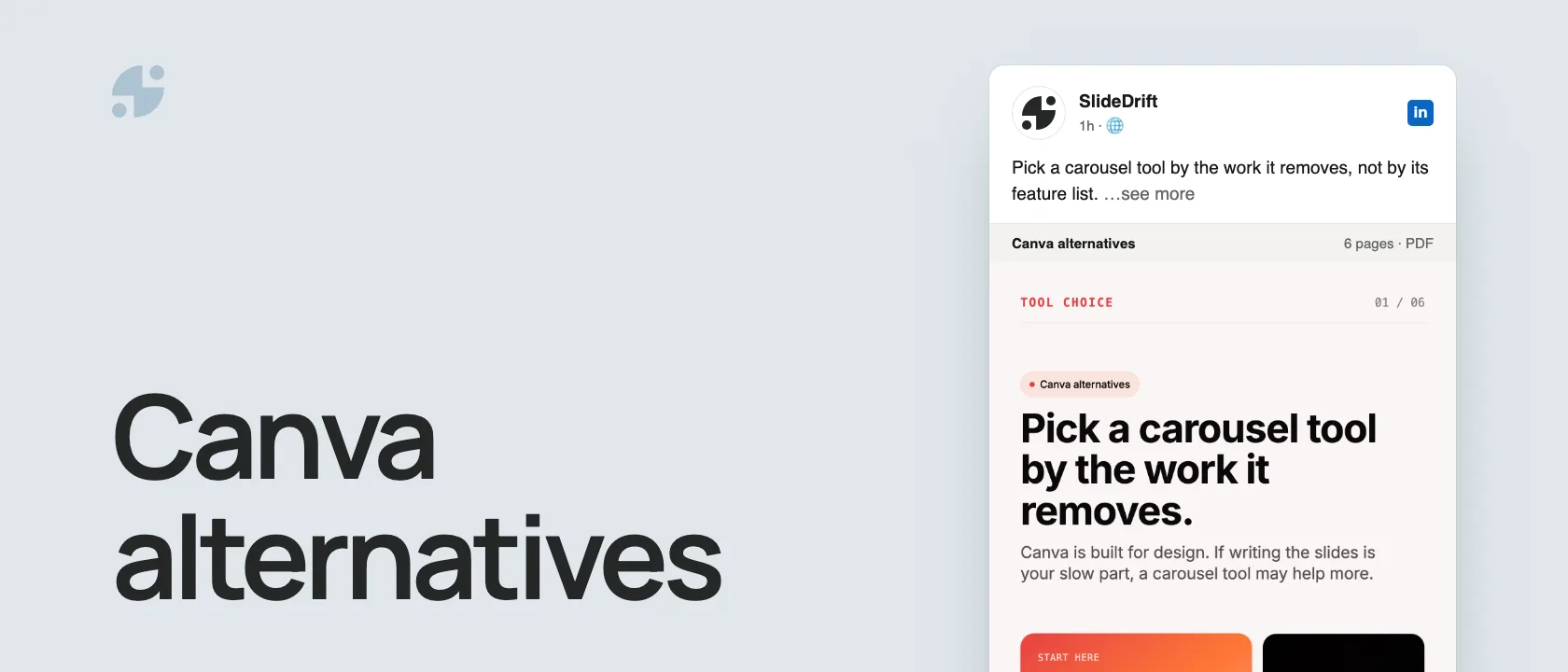
If your slow part is design, stay in Canva. If it's turning what you know into slides, a carousel-specific tool will save more time. Pick by the work you want the tool to remove:
- Turning notes, articles or links into slides: SlideDrift or PostNitro.
- A LinkedIn growth suite with scheduling and analytics: Taplio or Typegrow.
- Carousels for several platforms: aiCarousels or PostNitro.
- Full manual control: Canva, PowerPoint, Google Slides or Figma.
We make SlideDrift, so weigh that. Every tool fact below was checked on the tool's own site on October 3, 2026.
Why look beyond Canva
Canva is a broad design platform, and that's its strength. But for a LinkedIn carousel, the hard part is rarely drawing rectangles. It's picking the strongest idea, turning it into a slide sequence, writing a first slide people swipe past, keeping the brand consistent and exporting a clean PDF. If that's where your time goes, a tool built for carousels can take more of it off your plate. If SlideDrift is the only one you're weighing, the Canva vs SlideDrift comparison goes deeper.
Here's the decision as a carousel, made in SlideDrift.
SlideDriftCreate your ownCarousel transcriptShowHide


- 01Pick a carousel tool by the work it removes. Canva is built for design. If writing the slides is your slow part, a carousel tool may help more. Start here: name your bottleneck first: design, writing, branding or publishing.
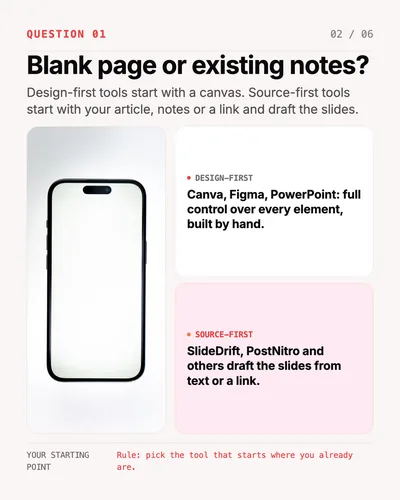
- 02Blank page or existing notes? Design-first tools start with a canvas. Source-first tools start with your article, notes or a link and draft the slides. Design-first: Canva, Figma, PowerPoint, full control over every element, built by hand. Source-first: SlideDrift, PostNitro and others draft the slides from text or a link.
- 03Just LinkedIn, or every social platform? Some tools make LinkedIn carousels only. Others resize the same slides for Instagram and TikTok or schedule to several networks. LinkedIn only: SlideDrift, Typegrow, Taplio. Multi-platform: aiCarousels, PostNitro, Canva.
- 04Do you need one look on every post? If you post for a brand or for clients, saved brand settings matter more than a big template library. Without brand settings, every carousel starts from a template and colors drift post by post. With brand settings, fonts, colors and logo are applied to every new carousel.
- 05What does it cost to start? Free plans and trials let you test a tool on one real carousel. Typegrow says it's free for now. SlideDrift, aiCarousels and PostNitro have free starts. Taplio has a 7-day free trial, then plans from $39 a month. Checked October 2026.
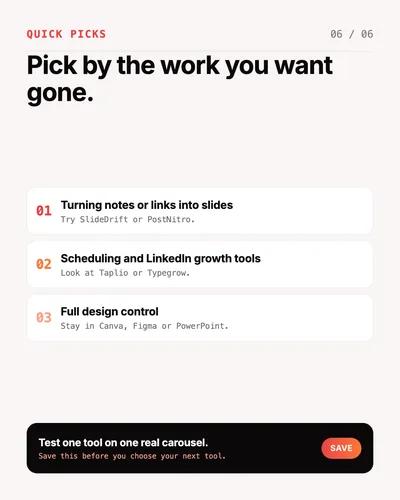
- 06Pick by the work you want gone. Turning notes or links into slides: try SlideDrift or PostNitro. Scheduling and LinkedIn growth tools: look at Taplio or Typegrow. Full design control: stay in Canva, Figma or PowerPoint. Test one tool on one real carousel.
Quick comparison
| Tool | Best for | Starts from | Cost and notes |
|---|---|---|---|
| SlideDrift | Turning notes, articles or links into LinkedIn carousels | A link, text or notes | Free to start; LinkedIn scheduling on paid plans |
| Taplio | A LinkedIn growth suite with a carousel maker | A topic, or tweets, Reddit posts and images | Free carousel generator; plans from $39 a month with a 7-day trial |
| Typegrow | A free LinkedIn toolset | A topic | Says it's completely free for now |
| aiCarousels | Carousels for LinkedIn, Instagram and TikTok | A topic or your content | Free carousel maker |
| PostNitro | Multi-platform carousels with scheduling | A topic, an article link, text or an X post | Free to start |
| PowerPoint or Google Slides | Manual slide design | A blank deck or a template | You export the PDF yourself |
| Figma | Custom design systems | A design system or a blank canvas | The most control, and the steepest learning curve |
The tools
SlideDrift
SlideDrift starts from what you already have: paste a link, an article, a post or rough notes, and it drafts an editable carousel. You can apply a saved brand kit, export a PDF or PNG, and on paid plans schedule the carousel to LinkedIn. It's built for LinkedIn, so if you also need Instagram and TikTok formats, look at the multi-platform tools.
Taplio
Taplio is a LinkedIn growth platform. Its carousel generator creates carousels for free with AI and an editor, and can turn tweets, Reddit posts and images into carousels. The paid product adds scheduling, analytics and AI credits; pricing starts at $39 a month, with a 7-day free trial. A good fit if you want the carousel maker inside a wider LinkedIn workflow.
Typegrow
Typegrow's carousel generator turns a topic into slides you edit and download as a PDF. Its homepage says the product is completely free at the moment, while paid plans are in the works, and lists scheduling, a hook generator and a post preview. It's topic-led, so it suits ideas more than existing source material.
aiCarousels
aiCarousels makes carousels for LinkedIn, Instagram and TikTok, with AI writing, auto-resizing elements, preset colors and fonts, and customizable templates. Choose it when the same carousel needs to work on several platforms.
PostNitro
PostNitro writes and designs carousels from a topic, an article link, your own text or an X post, applies your brand kit, and schedules to LinkedIn, Instagram, TikTok, Threads and Facebook. It's the broadest option here if you publish everywhere.
PowerPoint, Google Slides and Figma
These aren't carousel generators, but they're valid if you already design slides. PowerPoint and Google Slides suit teams with existing templates; Figma suits design teams building a custom system. Either way you write, lay out and export every page yourself.
Four questions to choose
- Do you start from a blank page or from existing material? If you have articles, notes or client lessons, a source-first tool saves the most time.
- Do you post only on LinkedIn? LinkedIn-only tools go deeper on LinkedIn; multi-platform tools resize for Instagram and TikTok or schedule everywhere.
- Do you need one look on every post? For a brand or for clients, saved brand settings matter more than a big template library.
- What does it cost to start? Use free plans and trials to test the tool on a carousel you actually need to post, and check each pricing page before you commit.
Why the export still matters
Whatever you make it in, a LinkedIn carousel is a document post. LinkedIn's help page accepts PDF, PPT, PPTX, DOC and DOCX files up to 100 MB and 300 pages, and recommends PDF for the best quality. Check that your tool exports a clean PDF with every page the same size; the carousel size guide has the dimensions.
Test it on one real carousel
Paste a link, an article or rough notes. SlideDrift drafts the carousel, you edit it, then export a PDF for LinkedIn.

Brief for this carousel
Make a 6-slide LinkedIn carousel on choosing a Canva alternative for LinkedIn carousels. A cover (pick a tool by the work it removes), then one question per slide: do you start from a blank page or existing notes, do you post only on LinkedIn or on several platforms, do you need one brand look on every post, and what does it cost to start. End with quick picks by job and a nudge to test one tool on one real carousel.
For more options, see the best AI LinkedIn carousel generators.
FAQ
What is the best Canva alternative for LinkedIn carousels?
It depends on the job. To turn notes, articles or links into slides, try SlideDrift or PostNitro. For a LinkedIn growth suite, look at Taplio or Typegrow. For several platforms, aiCarousels or PostNitro.
Is there a free Canva alternative for LinkedIn carousels?
Typegrow says it's completely free for now. SlideDrift, aiCarousels and PostNitro are free to start, and Taplio's carousel generator is free, with a 7-day trial of its paid plans.
Can I still use Canva for LinkedIn carousels?
Yes. Canva works well when you want to design every page by hand. Export a PDF with all pages the same size, then upload it to LinkedIn as a document.
Which tool works for Instagram and TikTok carousels too?
aiCarousels makes carousels for LinkedIn, Instagram and TikTok, and PostNitro schedules to LinkedIn, Instagram, TikTok, Threads and Facebook.