Taplio vs SlideDrift: Which Is Better for LinkedIn Carousels?
Taplio's carousel generator vs SlideDrift: what each makes, what they start from, the free options, prices and posting to LinkedIn. Checked on both sites in October 2026.

Choose Taplio if carousels are one part of a wider LinkedIn routine: it's a growth suite with an AI writer, scheduling, analytics and engagement tools, and a carousel generator inside. Choose SlideDrift if carousels are the main job: it's built around turning your material into designed, editable carousels, and it schedules them to LinkedIn too.
- Both turn a post, an article or an idea into a carousel, apply your brand and export a PDF or schedule it to LinkedIn.
- Taplio adds engagement and growth tools. Plans start at $39 a month, with a 7-day trial.
- SlideDrift adds Remix designs and a full slide editor, and works inside Claude and ChatGPT. It's free to start, and paid plans start at $29 a month.
We make SlideDrift, so weigh that. Every fact below was checked on both sites on October 6, 2026.
Taplio's carousel generator, in brief
Taplio has two carousel tools:
- The free carousel tool makes a carousel from a topic, or from tweets, Reddit posts and images. You can download a PDF or single images, but each slide carries a "Made with taplio.com/carousel" watermark that only subscribers can remove.
- The carousel generator inside the app takes a post, an article or YouTube link, or a rough idea. You save your brand once, then export a PDF or schedule it to LinkedIn.
The app needs a paid plan. Pricing starts at $39 a month, with a 7-day trial that gives full Pro access. Check which plan includes the carousel generator before you buy.
Here's the comparison as a carousel, made in SlideDrift.
SlideDriftCreate your ownCarousel transcriptShowHide


- 01Taplio vs SlideDrift, checked October 2026. Two carousel tools, two different jobs. Taplio grows your whole LinkedIn presence. SlideDrift makes the carousel itself. Here's how to tell which you need.
- 0201, Taplio, the growth suite. Writing, scheduling, analytics and engagement, with a carousel generator inside. Paste a post, an article or YouTube link, or an idea, apply your brand, then export a PDF or schedule it. Plans from $39 a month, with a 7-day trial.
- 0302, SlideDrift, carousels first. Built around the carousel itself. Start from a link, notes or a PDF, then edit: Remix designs and templates with a full slide editor; brand kits that apply your fonts, colors and logo to every carousel; PDF export, or LinkedIn scheduling on paid plans. Free to start, paid plans from $29 a month.
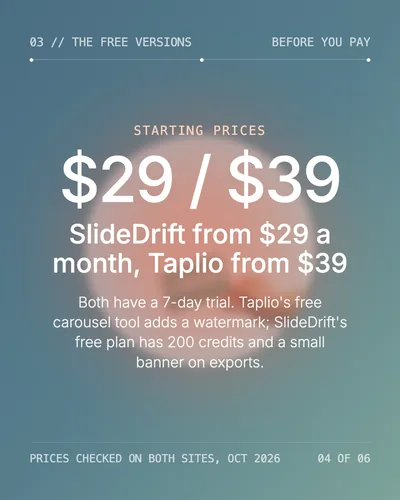
- 0403, the free versions. Starting prices: $29 and $39. SlideDrift from $29 a month, Taplio from $39. Both have a 7-day trial. Taplio's free carousel tool adds a watermark; SlideDrift's free plan has 200 credits and a small banner on exports.
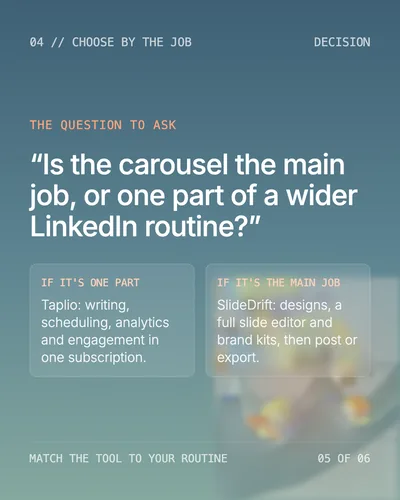
- 0504, choose by the job. The question to ask: is the carousel the main job, or one part of a wider LinkedIn routine? If it's one part, Taplio: writing, scheduling, analytics and engagement in one subscription. If it's the main job, SlideDrift: designs, a full slide editor and brand kits, then post or export.
- 06The test. Run one real source through both. Paste the same notes into each tool. Count the facts that survive, the slides you rewrite and the steps left before posting.
Quick comparison
| Taplio | SlideDrift | |
|---|---|---|
| Built for | Growing on LinkedIn: writing, scheduling, analytics, engagement | Making LinkedIn carousels and posting them |
| Carousels start from | A post, an article or YouTube link, or an idea | A link, text or notes; a PDF on paid plans |
| Designs and editing | Brand kit applied to its carousel styles | Remix designs and standard templates, with a full slide editor |
| Free option | A free carousel tool, with a watermark | 200 credits; free exports carry a SlideDrift banner |
| Paid plans | From $39 a month, 7-day trial | From $29 a month, 7-day trial |
| Posting to LinkedIn | Scheduling, a core part of the app | Scheduling on paid plans: carousels, images, video, polls and text |
| Works with AI assistants | A Taplio LinkedIn MCP | An AI connection for Claude, ChatGPT and other assistants, on every plan |
Where Taplio is stronger
Taplio covers more of LinkedIn growth: post ideas and inspiration, an AI writer, analytics, a Chrome extension and tools to engage with other people's posts. If you want one subscription for everything you do on LinkedIn, and carousels are an occasional format, Taplio's scope is the point.
Where SlideDrift is stronger
SlideDrift goes deeper on the carousel itself. You start from a link, notes or a PDF, choose a Remix design or a template, and get a draft you can edit slide by slide: rewrite text, swap images, reorder slides and apply a brand kit. You can export a PDF, PNGs or an embed, or schedule it to LinkedIn on a paid plan. If most of your LinkedIn time goes into carousels and how they look, that depth is what you're paying for.
Run the same test in both
Compare the path to a publishable carousel, not two unrelated first drafts. Use one real source in both tools.
Workflow test
Test: six interview notes into one carousel
A consultant's notes from six client interviews:
- Weekly reports arrive on time but don't explain what changed.
- Clients ask for extra calls to understand the numbers.
- Analysts spend most of the report on activity completed.
- The strongest insight is usually buried on the last page.
- The team proposed a one-sentence "decision this changes" note.
- The lesson: organize reporting around decisions, not activity.
Paste the same notes into both tools and ask for an eight-slide carousel. Then check: how many of the six facts survive, how many slides need rewriting, whether slide one makes a specific promise ("Your weekly report is creating more meetings"), and how many steps are left before the PDF is ready or the post is scheduled.
Make one in SlideDrift
Run the test with a brief like this:
SlideDrift brief
Turn the notes below into an 8-slide LinkedIn carousel.
Make slide one a specific promise for the reader.
One point per slide, and end with the lesson and one question.

[Paste your notes, article or link here]Run the test in SlideDrift
Paste the same notes you'd give any tool. SlideDrift drafts the carousel, you edit it, then export a PDF or schedule it on a paid plan.

Brief for this carousel
Make a 6-slide LinkedIn carousel comparing two tools for one decision. A cover that names the decision, one slide on each tool (what it's built for, what it starts from, its price), a slide on the free versions and starting prices, a slide with the one question that decides it, and a final slide with a test the reader can run on their own material. Use only facts checked on each tool's own site, with the date.
To compare more tools, read the best AI LinkedIn carousel generators, then run the final deck through the LinkedIn carousel checklist.
FAQ
Is Taplio or SlideDrift better for LinkedIn carousels?
SlideDrift if carousels are your main format and design matters. Taplio if you want a wider LinkedIn growth suite with carousels as one feature.
Does Taplio have a free carousel generator?
Yes. Taplio's free carousel tool works from a topic, tweets, Reddit posts or images, but adds a "Made with taplio.com/carousel" watermark that only subscribers can remove. The generator inside the app needs a paid plan.
How much does Taplio cost compared with SlideDrift?
Taplio's plans start at $39 a month and SlideDrift's at $29 a month, and both offer a 7-day trial. SlideDrift also has a free plan with 200 credits.
Can SlideDrift schedule carousels to LinkedIn?
Yes, on paid plans. It schedules carousels, image posts, video, polls and text posts to LinkedIn.