How to Build a Personal Brand on LinkedIn When You Sell Expertise
Build a LinkedIn personal brand that starts client conversations: pick a focus, fix your profile, choose post types, share proof safely and track inquiries.
How to build a personal brand on LinkedIn when you sell expertise: decide what you want to be known for and by whom, make your profile say it in the buyer's words, post two or three repeatable types of post, and judge the result by the conversations it starts. You need fewer people and a sharper point than a creator does. A few hundred of the right buyers who know exactly what you do are worth more than a large following that can't hire you.
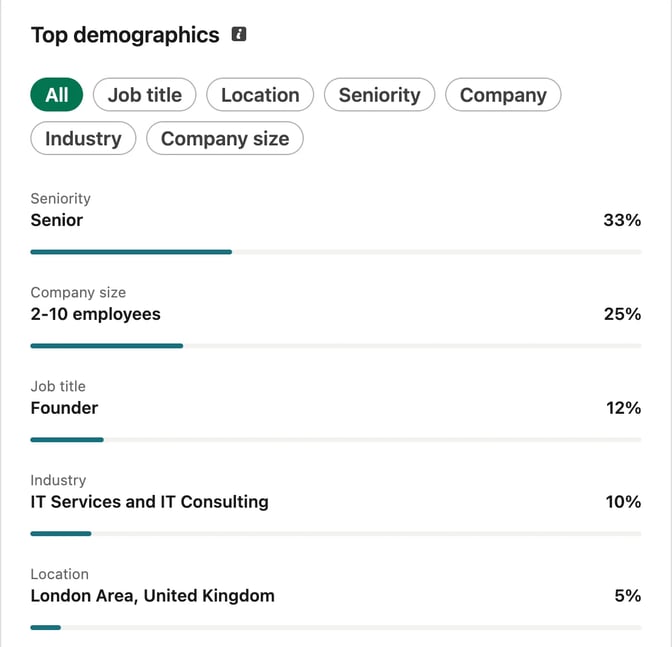
Decide what you want to be known for, and by whom
Most personal branding advice is written for people building an audience. If you sell a service, you are building a short list of people who will think of you first when a problem comes up.
Write one sentence before you touch your profile:
I help [specific buyer] with [one problem they pay to solve], so they can [result they care about].
Then test it:
- Could a client repeat it when describing you to a colleague?
- Can you spot the buyer in a comment thread? "Business owners" is everyone. "Founders of 20-person software companies" is a group you can find.
- Is it in their words? Use the phrases buyers use when they complain about the problem, not your profession's terms.
- Can you post about it for a year? If you'd run out by month two, widen the problem and keep the buyer.
That sentence decides your headline, your topics and whose posts you comment on. The LinkedIn content strategy for consultants turns it into three problems and a weekly plan.
Fix your profile before you post more
A reader who likes a post opens your profile next. It should confirm what the post suggested.
Headline. LinkedIn's help page on editing your headline says it shows below your name and in search results, and can be separate from your job title. Put the buyer and the problem first: "Employment lawyer for HR leaders at mid-size companies" says more than "Partner at [Firm]."
About. LinkedIn describes the About section as the place for your mission, motivation and skills, and its guide to creating a good profile suggests one or two paragraphs. Open with the buyer's problem, then say how you help, how you work and how to get in touch. The free LinkedIn text formatter helps with line breaks and bullets.
Featured. LinkedIn's Featured FAQ says you can feature your own posts, articles you've published on LinkedIn, and external images, documents and links. To add a post, use the More icon at its top right. Viewers must be logged in to see the section. Pin your most useful how-to, one piece of proof and the page where people book a call.
Banner and photo. LinkedIn's photo help page recommends a background photo of 1584 x 396 pixels, as a PNG or JPG of up to 8 MB. Put your one sentence on it, in your brand colors. LinkedIn's profile guide also says members with a profile photo get up to 2X more profile views, and that a personal URL can help your profile show up in search engines.
Follow or Connect. LinkedIn's update on creator mode says the on/off toggle was removed in March 2024, the About section moved to the top of the profile, and you can choose Follow or Connect as your primary button. Pick Follow if you want buyers to see your posts without a connection request.
Pick two or three post types and give them one look
A brand gets recognized through repetition. Choose two or three types of post you can make every week or two, all about the problem in your sentence:
- The client question: a question buyers ask you, answered in plain English. Usually a text post.
- The checklist or process: how you approach a common task, step by step. Usually a carousel.
- The pattern or opinion: something you see across your work, or a view your field argues about. Text or a single image.
The LinkedIn post ideas list 40 more by type, and the LinkedIn post templates give each a structure to fill in. For carousel formats built on your own experience, see LinkedIn carousels for personal branding.
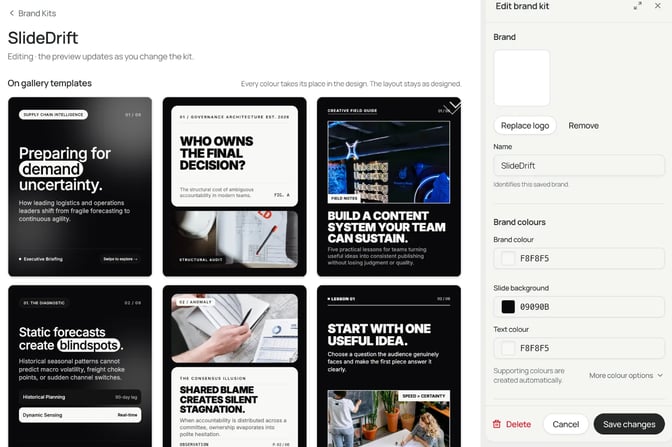
Then keep the look the same: the same colors, fonts and layout for each recurring type, so a buyer knows a post is yours before reading the name. In SlideDrift, a Brand Kit holds your colors, fonts, logo, profile photo and name, and applies them when you generate a carousel or apply the kit in the editor. It can also store who you help and what readers should do next, which guides the writing. Free accounts get one custom Brand Kit.
Show proof without breaking client confidentiality
Buyers want evidence, and experts usually can't name clients. Proof you can usually share:
- Your own material: a talk, a guide on your website, a checklist you send new clients.
- Patterns across many matters: "the question I've been asked most this quarter," with no client facts.
- Public credentials: a published article, a speaking slot, a course you teach.
- Client stories with written consent, told the way the client agreed to. The case study guide shows how to keep each claim tied to its source.
Be careful with disguised stories. For US lawyers, the American Bar Association's Formal Opinion 480 (March 6, 2018) says lawyers who blog or comment publicly may not reveal information relating to a representation, including information in a public record, unless the rules allow it. Calling a story a hypothetical doesn't help if a third party could reasonably work out who the client is or what their situation was. Accountants, advisers and coaches have their own codes, and engagement letters may add more. This is general information, not legal advice; check your own rules.
A simple test: if the client read the post, would they recognize themselves? If so, ask them first or rewrite it as a general lesson.
Comment where your buyers are, then count conversations
Posting is half the work. The other half is being useful in your buyers' threads.
- List 20 to 30 accounts your buyers follow: their trade bodies, the publications they read, peers in neighboring fields and buyers who post.
- Comment a few times a week with something a reader can use: a missing point, a question, a short example.
- Reply to comments on your own posts within the first day.
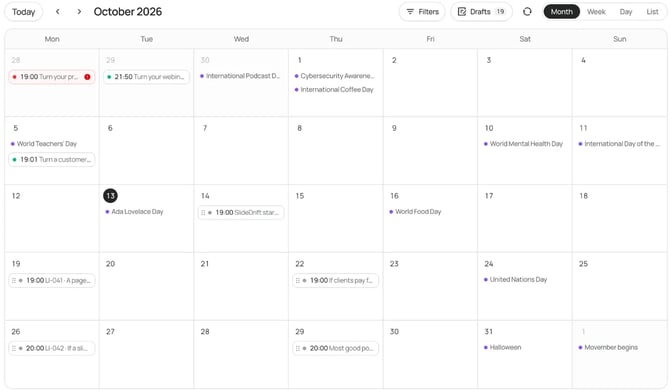
LinkedIn's post analytics show impressions, members reached, profile viewers, followers gained, reactions, comments, reposts, saves, sends and link visits, and LinkedIn says the numbers are estimates. Profile viewers and saves tell you more than reactions. The number that pays sits outside LinkedIn, though: log messages from buyers, introductions, calls booked and proposals sent, with the post behind each one. After three months, do more of what started most entries. The guide to measuring carousel performance has a tracker you can copy.
A first 90 days, in plain terms
You don't need a big plan. Do these in order.
- Week 1: write your one sentence, then rewrite your headline, About section and Featured items to match.
- Weeks 2 to 4: publish your first two post types once a week. Pick your 20 to 30 accounts and comment a few times a week.
- Weeks 5 to 8: add the third post type. Plan a month at a time so you aren't deciding on the day.
- Weeks 9 to 12: read your log of conversations. Keep the post types behind most of them and drop the rest.
Common mistakes
- Writing for everyone. A broad headline means nobody sees themselves in it.
- Posting without fixing the profile. Readers who click through find nothing that matches the post.
- Telling client stories too closely. If the client could recognize themselves, ask first.
- Counting followers. Count messages, calls and introductions instead.
- Changing the look every post. Buyers learn to spot your posts by their look, and a new look each time undoes that.
Worked example: an employment lawyer known by HR leaders
This lawyer is made up for the example. Swap in your own buyer, problem and material.
Illustrative example
Personal brand plan: an employment lawyer
One sentence: I help HR leaders at mid-size companies handle workplace investigations and terminations carefully, so a hard decision doesn't turn into a dispute.
Headline: Employment lawyer for HR leaders at mid-size companies | Workplace investigations, terminations and handbook reviews
Featured: her investigation checklist carousel, a talk to a regional HR association, and her booking page.
Post types: the HR question of the week as a text post every Tuesday, a checklist carousel every other Thursday, and a monthly pattern from recent work with no client facts.
Proof: her talk, articles in an HR trade publication, and patterns across many matters. No case stories, even disguised ones.
Comments: posts from HR associations, HR newsletters and HR directors in her region.
What she counts: messages from HR leaders, calls booked and referrals from other lawyers.
Her first checklist carousel comes from the list she already gives clients. She pastes it into SlideDrift's Create box with a short brief:
SlideDrift brief
Make an 8-slide LinkedIn carousel for HR leaders at mid-size US companies.
Topic: what to have ready before a workplace investigation starts.
Goal: help them run a fair, well-documented process. General education only; rules vary by state.
Slides: a hook, a scope slide, one slide per point below, and a last slide telling readers to talk to employment counsel about their own situation.
Tone: plain English, calm and practical.
Avoid: legal advice for a specific case, promises of outcomes, case names, and anything that could identify a client or matter.

Points:
- Write down the complaint in the employee's own words.
- Choose an investigator with no stake in the outcome.
- Keep the relevant emails, messages and files before interviews begin.
- Plan who you'll interview and the questions you'll ask.
- Record the findings and the reasons for them.She picks her Brand Kit and presses Generate. SlideDrift uses AI to draft the slides. LinkedIn's guidance on AI-assisted posts says you're ultimately responsible for everything you post, so check every slide against your source before it goes out. For more topics, see the LinkedIn carousel ideas for lawyers.
She exports the PDF and posts it herself, or schedules it from SlideDrift on a paid plan; posting to a Company Page needs the Pro or Agency plan. SlideDrift posts natively to LinkedIn, and for other platforms you can export PDF or PNG in square 1:1, portrait 4:5 or stories 9:16 sizes and post them anywhere.
FAQ
Does LinkedIn creator mode still exist?
Not as a switch. LinkedIn's help page says the creator mode on/off toggle was removed in March 2024. You can choose Follow or Connect as your profile's primary button, and the About section now sits at the top of your profile.
How often should I post to build a personal brand on LinkedIn?
As often as you can keep up for a year. For most people who sell expertise, that's one or two posts a week on the same topic, which is easier to sustain than daily posts that stop after a month. Commenting between posts counts too.
Should I build my personal brand or my company's LinkedIn Page?
If clients hire you by name, post from your profile first, since that's who they're choosing. Use a Company Page to reshare your best posts and share firm news. The LinkedIn content strategy for consultants covers setting up both.
How do I know if my LinkedIn personal brand is working?
Watch who views your profile and who gets in touch. If the buyers in your one sentence start messaging you, booking calls or mentioning your posts in meetings, it's working. Follower counts can grow without any of that happening.
Do I need a personal brand if I already have a firm brand?
If clients choose you rather than the firm, yes. People trust a person with a clear point of view. Your profile can name the firm and still lead with the problem you solve.
Turn your notes into posts in your brand with SlideDrift
SlideDrift is a LinkedIn content studio. Paste your notes, a client checklist or a link to something you've written, and it drafts the slides in your Brand Kit. You edit them, then export the PDF or schedule the post.
Make a carousel in your brand
Start with the one sentence from this guide and a checklist you already use. SlideDrift drafts the slides in your Brand Kit; you check every line before it goes out.


Brief for this carousel
Make an 8-slide LinkedIn carousel for consultants, coaches and lawyers on how to build a personal brand on LinkedIn. A cover with the one-sentence focus formula, then one point per slide: the headline, the About section, the Featured section, two or three recurring post types, proof without naming clients, commenting where buyers are, and counting conversations. End by asking readers to write their own one-sentence focus.