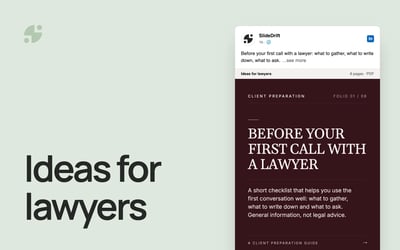
LinkedIn Post Ideas: 40 Posts for People Who Sell Expertise
40 LinkedIn post ideas for consultants, lawyers, accountants and coaches, each matched to a format, with a four-week plan and a worked example.

The best LinkedIn post ideas for people who sell expertise come from work you already do: client questions, project lessons, how you work and the myths you correct every week. Each idea fits a format. A short answer suits text, one point suits an image, steps suit a carousel, and a question suits a poll. Below are 40 ideas in eight groups, then a month of posts to copy.
- Eight idea groups, each with five example lines, a format and what to build them from.
- A month of posts: a four-week plan at three posts a week.
- A worked example: a made-up lawyer's week of three posts from one client question.
Start from what you already know
Your readers have seen generic advice. They haven't seen how you answer their questions. LinkedIn's guidance on AI-assisted posts says content that reflects your own experience is welcome, and that content that feels generic or repetitive is less likely to be widely distributed. It also says you are responsible for everything you post.
So start with your own material:
- emails where you explained something to a client
- notes from discovery calls and kickoff meetings
- proposals, onboarding guides and checklists you send
- talks, workshop slides, newsletters and blog posts
When a client asks a good question, write it down that day. The swipe file guide shows how to keep that list tagged and easy to search.
40 LinkedIn post ideas in eight groups
Swap the brackets for your field, and drop any idea you can't back up.
Client questions
Build these from your inbox and first-call notes. Format: a text post for a short answer, a carousel when the answer has steps.
- "The question I get asked most in first calls: [question]. Here's my answer."
- "Do you really need [service] before [milestone]? It depends on three things."
- "How much should [task] cost? What changes the price."
- "What to ask before you hire a [your role]"
- "A client asked me [question] last week. Here's what I told them."
Lessons from projects
Build these from project notes, with client details removed. Format: a text post for the story, a carousel when the lesson becomes a method.
- "What I'd do differently on a [type of project]"
- "The mistake that cost a project two weeks, and the check I added after it"
- "Three things every [type of client] project teaches me"
- "Why I now ask [question] at the start of every engagement"
- "A project that went sideways, and what we changed"
Process explainers
Build these from your onboarding guide or proposal template. Format: a carousel, one step per slide.
- "How a [service] engagement works, step by step"
- "What happens in the first 30 days of working with me"
- "My [number]-step method for [outcome], in plain English"
- "What a [deliverable] includes, and what it doesn't"
- "What you'll need to have ready before we start"
Myths in your field
Build these from the misunderstandings you correct on calls. Format: an image post for one myth stated plainly, a carousel for several.
- "Myth: [common belief]. What actually happens"
- "[Number] things people get wrong about [your field]"
- "'We'll sort that out later' is the most expensive sentence in [field]"
- "Why [popular advice] doesn't work for [type of business]"
- "You don't need [thing people overbuy]. You need [simpler thing]."
Opinions
Build these from views that change how you work. Format: a short text post with your reasoning.
- "Unpopular opinion: [view about your field]"
- "What I think [industry trend] means for [your clients]"
- "Why I stopped offering [service or practice]"
- "The [field] rule I'd change if I could"
- "What most [type of client] should spend less time on"
Behind the scenes
Build these from your calendar, your desk and your tools. Format: an image post or a short text post.
- "How I prepare for a [workshop, audit or review]"
- "The tools I use every week, and why"
- "What a normal week looks like in a [your role] practice"
- "How I decide which projects to say yes to"
- "What I read to keep up with [field]"
Results you're allowed to share
Build these from case studies the client has approved in writing, or from your own business. If your professional rules restrict testimonials, follow them first. Format: a carousel for the full story, an image for one figure the client agreed to share.
- "Before and after: [type of client]'s [process], with their permission"
- "What changed in the six months after [type of project]"
- "One number from a recent project, and what was behind it"
- "What my own business learned from [experiment]"
- "A year of [your practice] in [number] lessons"
The case study guide shows how to keep each claim tied to its source.
Tools and checklists
Build these from checklists and templates you already send clients. Format: a carousel people can save.
- "The checklist I send every new client before we start"
- "[Number] questions to ask before you sign a [contract or proposal]"
- "A [weekly or monthly] review you can do in [time]"
- "The template I use for [task]"
- "What to have ready before your [meeting, audit or filing]"
Turn an idea into a post in three steps
An idea is a headline. These steps turn it into something you can publish.
- Pick one reader. Name the person the post is for, such as a founder about to sign their first contract. A post for "everyone" reads like advice for no one.
- Write the answer in your own words. Say it as you would on a call. Add one detail only you would know: a number you use, a mistake you've seen, a rule you follow.
- Choose the format that fits the shape of the answer. The table below does that.
Then read it once as the client. If it could have been written by anyone, add the detail and cut the rest.
Match each idea to a format
| If the idea is... | Use | Why |
|---|---|---|
| A short answer or a story | Text post | Nothing to look at, just your reasoning |
| One point, myth or figure | Image post | One line people can read at a glance |
| Steps, a checklist or a method | Carousel | One step per slide, easy to save |
| A question you want answered | Poll | Readers answer with one tap |
Socialinsider's 2026 LinkedIn benchmark covers 1.3 million posts from 16,645 business Pages. In 2025, native document posts averaged a 7.00% engagement rate by impressions, against 4.50% for text, 5.30% for image and 4.20% for poll posts. It's an average across company Pages, not a forecast for your profile, so use it as a hint about which formats to try.
- Carousels are document posts on LinkedIn. LinkedIn's help page on document posts recommends PDF, allows up to 100 MB and 300 pages, and says anyone who can see the post can download it. Our guide to carousels versus text posts covers when each one fits.
- Polls need at least two options and at most four, and run for one week by default, according to LinkedIn's help page on polls.
- Text posts can start from the free LinkedIn post generator, which drafts from a topic, tone, audience and call to action. Check the result in the LinkedIn post preview and the character counter.
A month of posts
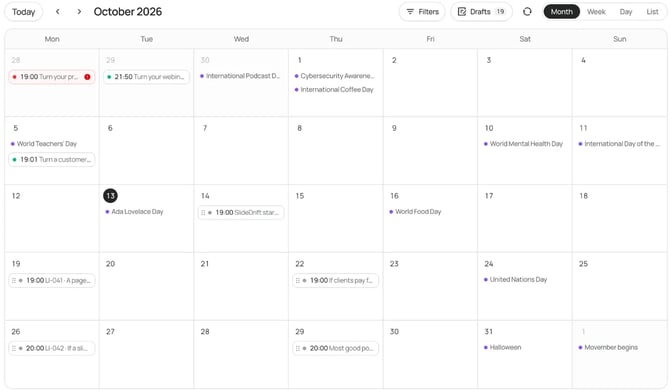
Three posts a week gives you twelve a month. If that's too many, post twice a week and stretch the plan to six weeks. The guide on how often to post carousels covers pace.
| Week | Monday | Wednesday | Friday |
|---|---|---|---|
| 1 | Client question (text) | Process explainer (carousel) | Poll on the same question |
| 2 | Project lesson (text) | Myth (image) | Checklist (carousel) |
| 3 | Opinion (text) | Behind the scenes (image) | Result you're allowed to share (carousel) |
| 4 | Another client question (text) | Template or tool (carousel) | Poll: what should I cover next? |
Week 4's poll feeds the next month. To plan in a spreadsheet, use the carousel content calendar. To work from something you've written, see how one article can fill a month.
Worked example: a lawyer's week from one client question
Say you're a business lawyer, and several founders have asked you: "We trust each other. Do we really need a founders' agreement?" That one question can fill week 1. The lawyer and the posts are made up for this example.
Monday, text post. The question and a short answer in your own words:
Founders keep asking me:
"We trust each other. Do we really need a founders' agreement?"

Trust is why it's easy to sign one now.
The agreement is for the day something changes: someone leaves, or an investor asks who owns what.

On Wednesday: what a good one settles.
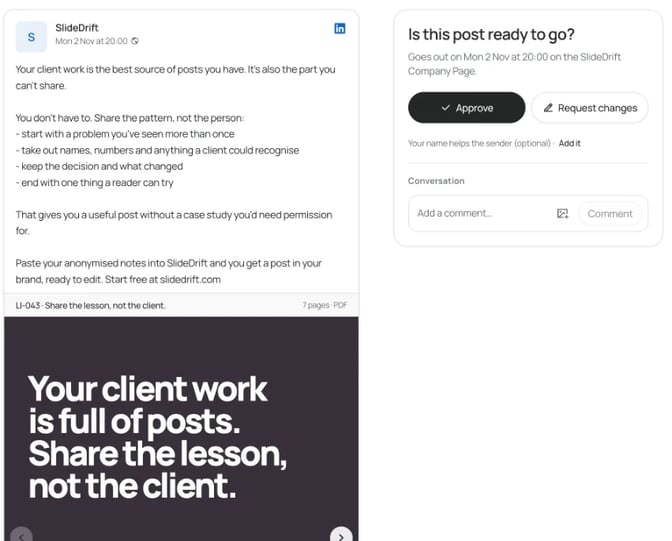
General information, not legal advice.Wednesday, carousel. What a founders' agreement settles, one topic per slide: why trust isn't the issue, who owns what and how shares vest, roles and who decides, what happens if a founder leaves, and who owns the work. The last slide tells readers to talk to a lawyer where they're based before they sign.
Friday, poll. "Did you and your co-founder sign a founders' agreement before you launched?" with four options: "Yes, before launch", "Yes, after launch", "Not yet" and "I'm a solo founder". Link Wednesday's carousel in a comment.
Before any of it goes out, strip anything that could identify a client and check your bar's rules on advertising and confidentiality where you practice. The carousel ideas for lawyers cover the ABA advertising rules and more guardrails.
Ideas by profession
Each of these lists gives 25 to 35 ideas for one profession:
- Consultants
- Lawyers
- Accountants
- Coaches
- Financial advisors
- Architects
- Engineers
- Founders
- Agencies
- Therapists
- Doctors
To turn these ideas into a weekly habit, see LinkedIn content strategy for consultants. To write each one faster, start from our LinkedIn post templates.
FAQ
What should I post on LinkedIn if I sell a service?
Post answers to client questions, lessons from your projects, how your process works and the myths you correct. Those posts show how you think, which is what you're selling. Keep promotion to a small share of what you publish.
How do I come up with LinkedIn content ideas every week?
Keep a running list of client questions, project notes and things you've explained twice. One good question can become a text post, a carousel and a poll, which fills a week. A monthly poll asking what readers want next adds more.
What are good LinkedIn post ideas for a business page?
The same groups work for a company Page: client questions, process explainers, checklists and results clients have agreed to share. LinkedIn lets you share document posts from a Page as well as from your profile.
How often should I post on LinkedIn?
Pick a pace you can keep for months: three posts a week, or two. Then check LinkedIn's post analytics for saves, comments and profile viewers to see which ideas to repeat. LinkedIn says the numbers are estimates.
Can I use AI to come up with LinkedIn post ideas?
Yes, as long as the post reflects your own experience. LinkedIn says you're responsible for everything you post and advises reviewing AI-assisted content. Use AI to draft from your notes, then add the detail only you know.
Which format should I use for each idea?
Match the shape of the answer. A short answer or story suits a text post, one point suits an image, steps suit a carousel and a question suits a poll. If an idea has three or more steps, make it a carousel.
Turn your notes into the next post with SlideDrift
SlideDrift is a LinkedIn content studio. It makes carousels, image posts, text posts and polls in your brand, then schedules and publishes them to LinkedIn.
When you have material but can't decide what to post, use Post ideas on SlideDrift's Home. Paste notes, a public article link or a short idea, answer a few questions about who the posts are for, and it drafts a mix of carousels, image posts, text posts and polls. Drafting is free within daily limits; a carousel costs 30 credits to make, and text, image and poll drafts use none. Tick the ones you want and save them as drafts. Nothing is published until you schedule it. The Post ideas guide has the details, and the guide to starting from text covers call notes.
Scheduling to LinkedIn needs a paid plan or trial, and posting to a Company Page needs Pro or Agency; the scheduling guide covers text, image, carousel and poll posts. SlideDrift publishes natively only to LinkedIn, so for other platforms export your carousel as PDF or PNG in square 1:1, portrait 4:5 or stories 9:16 and post it anywhere. It uses AI to draft, so check every slide against what you know.
Turn a client question into a post
Paste your notes, a link or a short idea. SlideDrift drafts the posts in your brand; you edit them, then export the PDF or schedule the post.


Brief for this carousel
Make a 7-slide LinkedIn carousel for a business lawyer: what a founders' agreement settles before anyone needs it. A cover with the founder's question, one slide on why trust isn't the issue, four slides on what it covers (ownership and vesting, roles and decisions, a founder leaving, who owns the work), and a closing slide saying to talk to a lawyer where you're based. General information, not legal advice.